
Languages and Translations
Intro
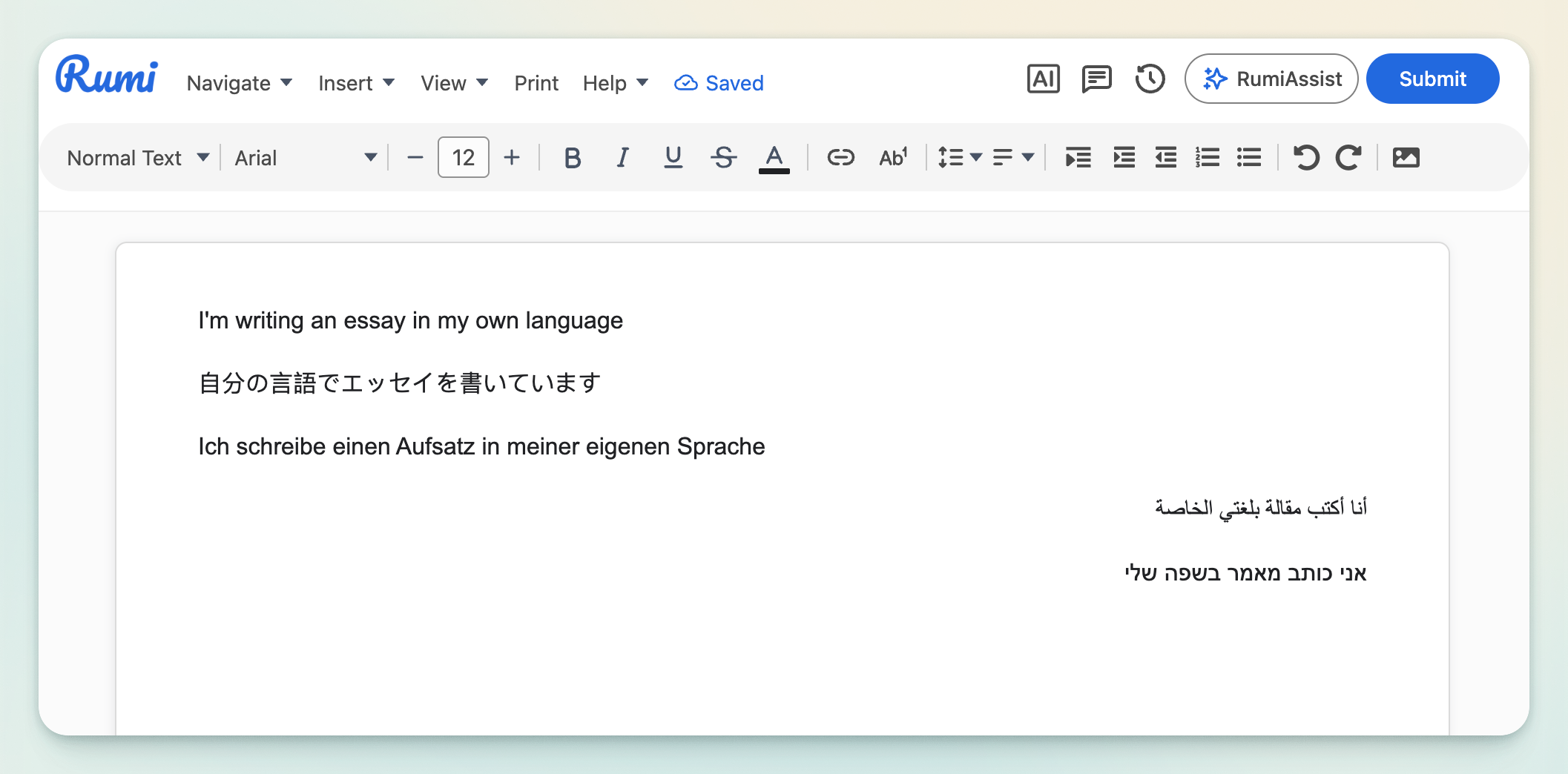
Rumi supports multilingual writing and learning. You can type in any language (including right‑to‑left scripts), translate between languages with AI, and have content read aloud in the correct voice—all inside the editor.
Note: To use AI translation features, the Conversational AI or Guided AI policy must be enabled under AI Policy. The Read‑Aloud feature is enabled for all documents regardless of AI Policy.
What You Can Do (at a glance)
- Type in any language (RTL included).
The Rumi editor supports left‑to‑right and right‑to‑left scripts (e.g., Arabic, Hebrew, Persian). No special setup required. - AI responds in the same language you use.
Ask a question in Spanish and the AI replies in Spanish; ask in Arabic and it replies in Arabic. To override, add “Please answer in ___.” - Translate from any language to any language.
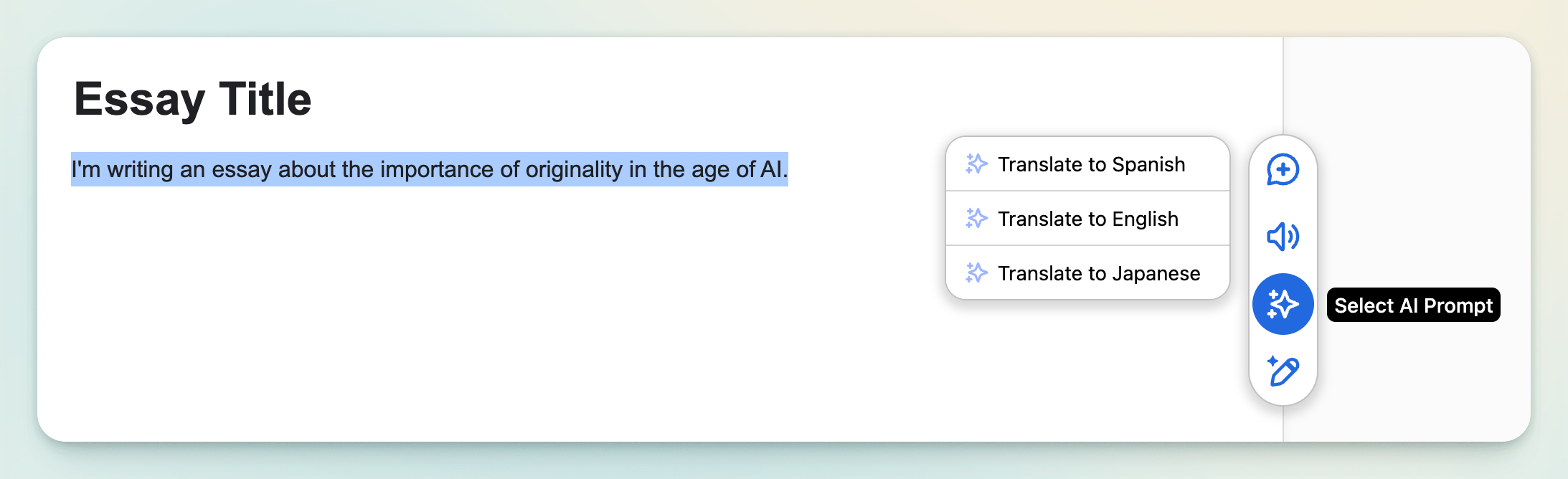
- Guided AI (Instructor‑led): Create a preset AI prompt that translates to a specific target language. See Guide on Creating AI Promptsets
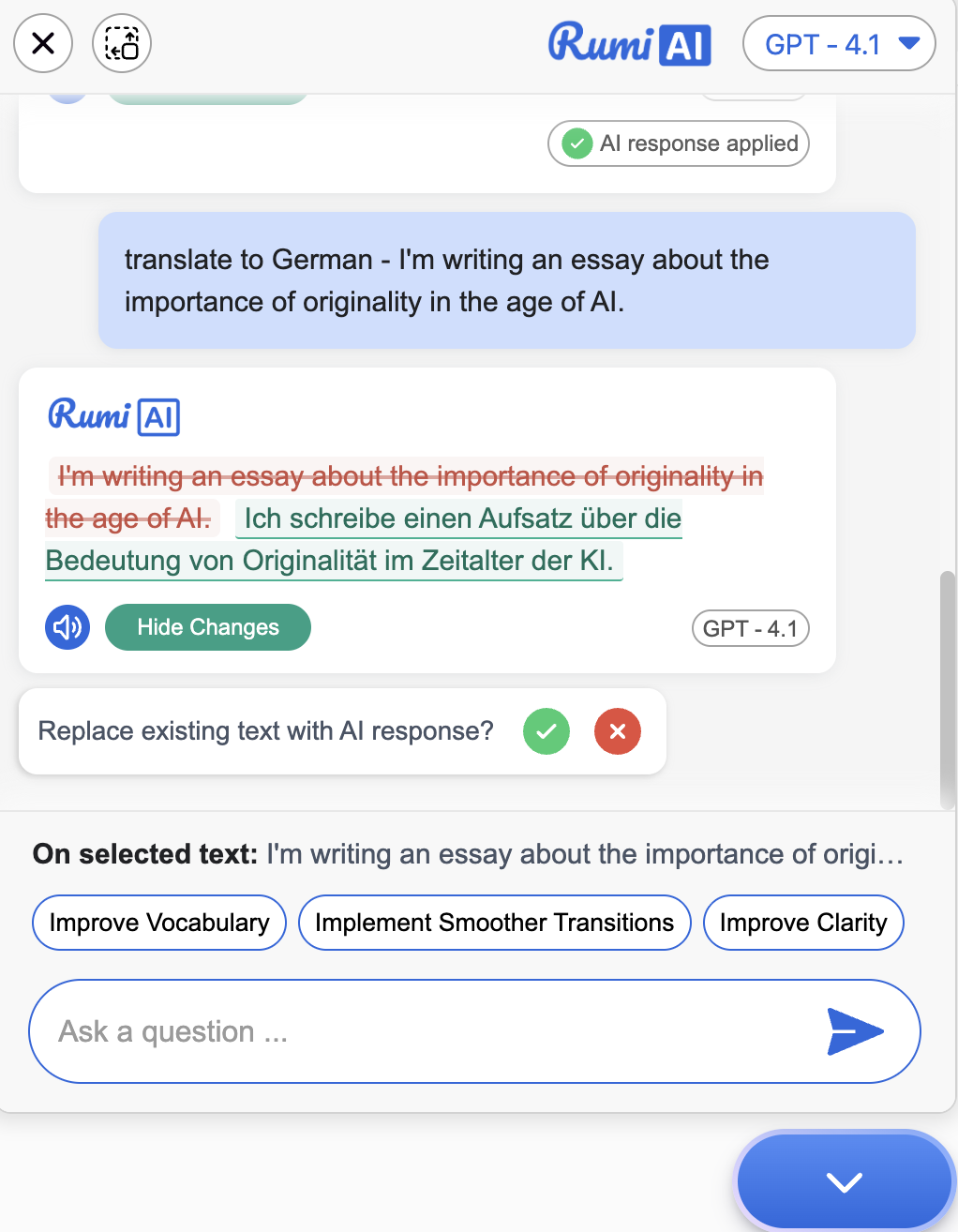
- Inline AI Edits (Student‑led): Select text and type a command like “translate to German.”
- After the AI responds, students can insert the translation into the document.
- Note: If a Guided AI translate prompt is not allowed to replace document text, the AI will only show the translation—it will not auto‑replace text.
- Read‑Aloud in any language.
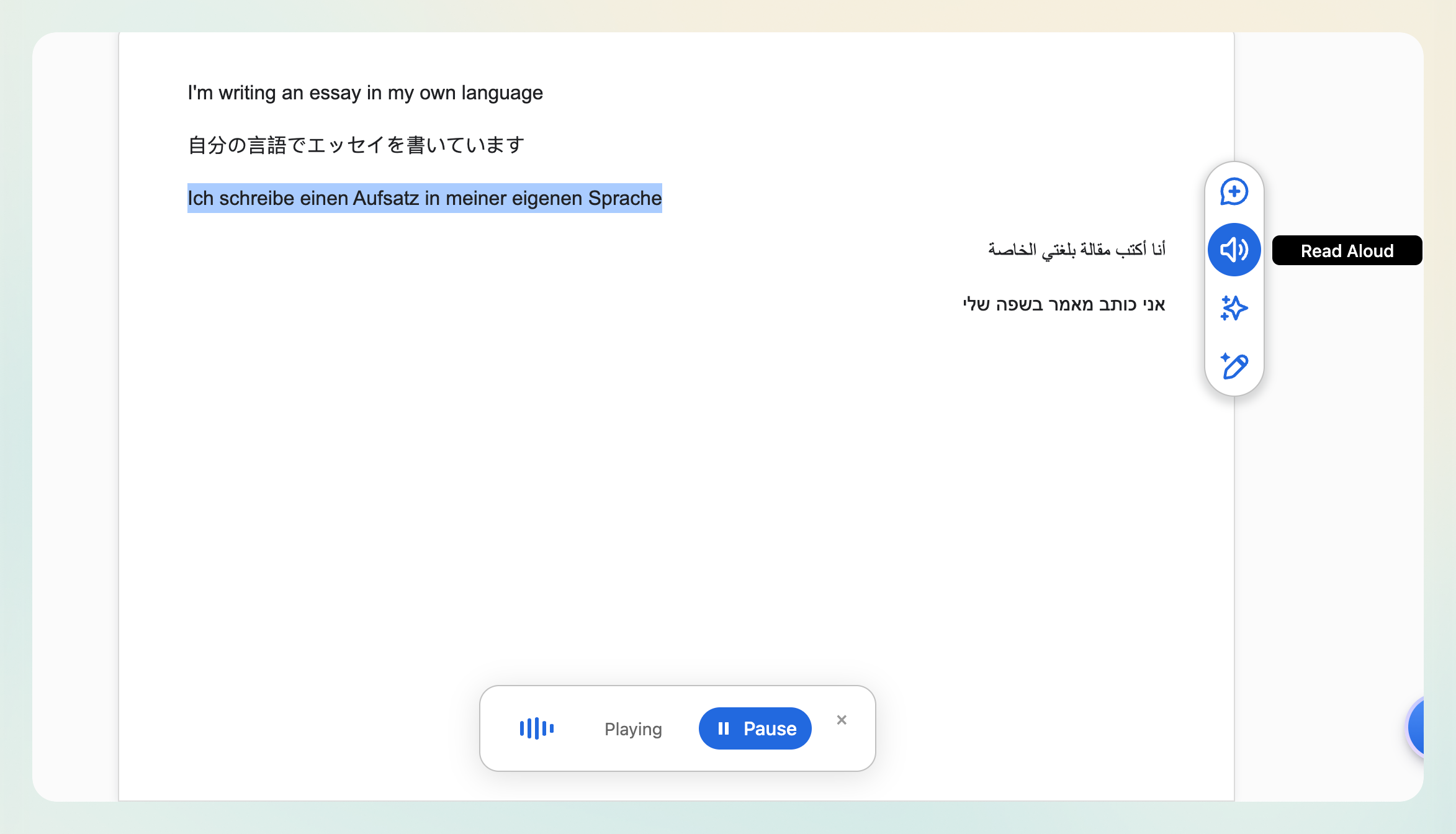
Read‑Aloud auto‑detects the language selected for the document and converts text to speech in that language. It’s available in every document, independent of AI Policy.
How to Use Each Capability
Typing in Any Language (including RTL)
- Just start typing—Rumi handles script direction and shaping.
- For mixed‑language paragraphs, consider separating languages by line or paragraph to keep directionality clear.
AI Replies in Your Language
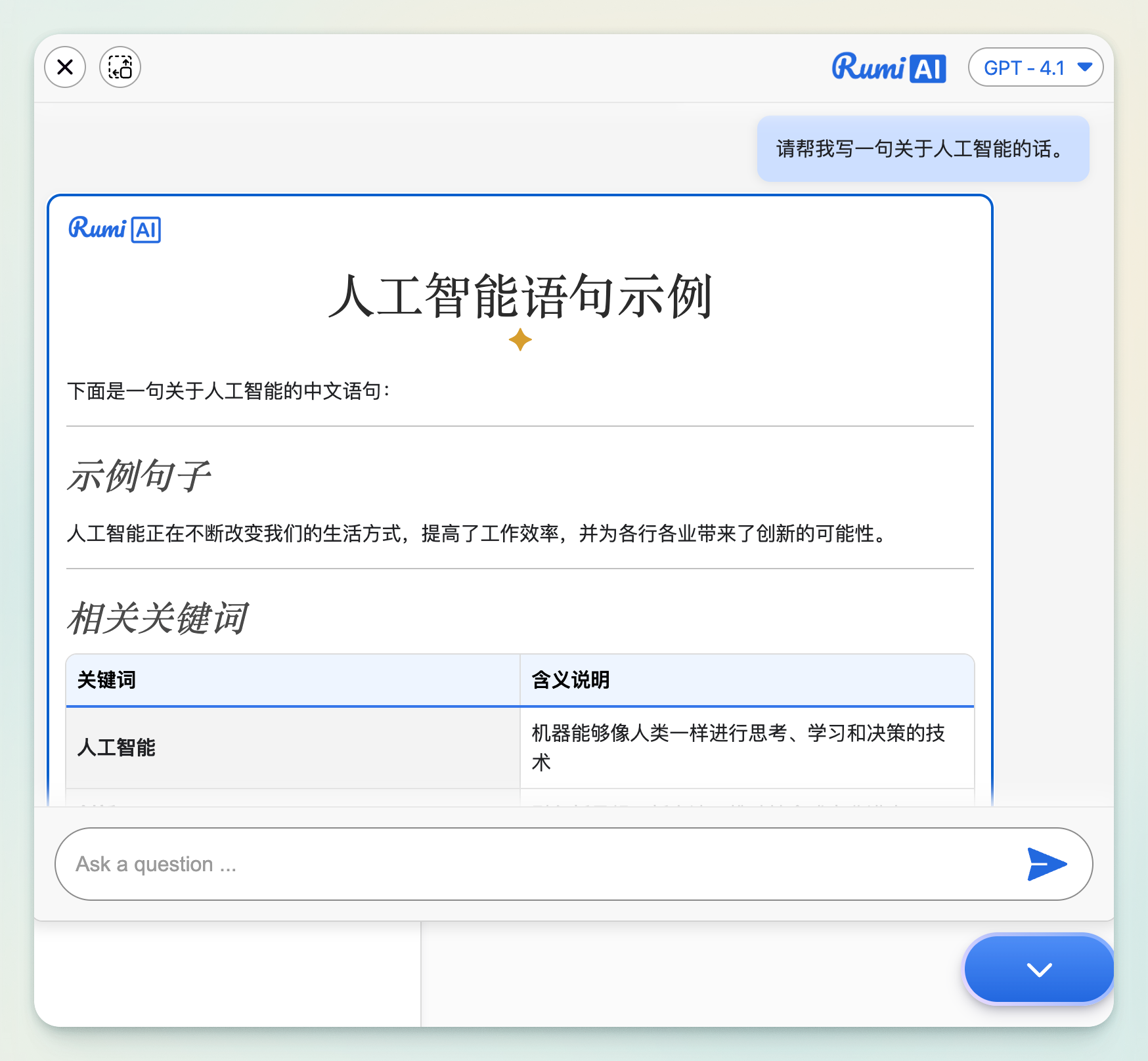
- Ask your question in your preferred language; Rumi AI mirrors it automatically.
- Force a language: Add a short instruction, e.g., “Responde en español.” or “الرجاء الإجابة بالعربية.”
Examples
- Prompt: “¿Qué es la fotosíntesis?” → Response in Spanish.
- Prompt: “ما هي نظرية العرض والطلب؟” → Response in Arabic.
- Prompt: “Explain entropy (answer in Japanese).” → Response in Japanese.
Translations
Rumi provides two ways for students to translate text with AI:
- Instructor-led presets let teachers pre-define translation behaviors (like language choice, formality, or exceptions), giving students consistent results.
- Inline AI edits let students translate text spontaneously, typing their own commands without presets.
Guided AI (Instructor‑led presets)
Use Prompt Sets to pre‑define a translation behavior for your assignment.
- Examples:
- “Translate to Spanish (neutral Latin American).”
- “Translate to Arabic; use Modern Standard Arabic; keep product names in English.”
- “Translate to Japanese using polite –ます/です form;.”
- Replacement permission:
If the preset is configured without replace permission, AI will show the translation only. Students can then Insert the response or paste it manually.
Learn more: see the Promptsets guide for how to create and assign presets.
Inline AI Edits (Student‑led)
Students can translate on the fly—no preset required.
Steps (student):
- Select text in the document.
- Open Inline AI Edits (under Conversational AI).
- Type a command such as:
- “translate to German”
- “traducir al español (mantener los nombres propios en inglés)”
- “ترجمة إلى العربية مع الحفاظ على صيغ المعادلات”
- Review the AI response and Insert it into the document.
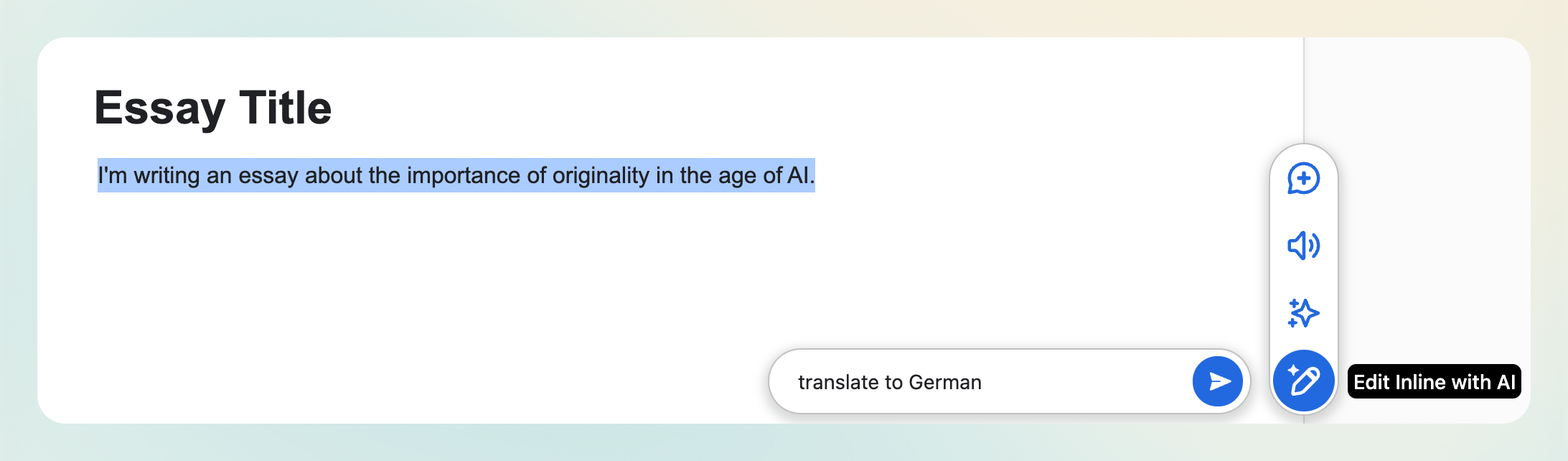
Note: Inline AI Edit response from RumiAI can replace the text in the document.
Read‑Aloud in Any Language
- The Read‑Aloud feature detects the document’s selected language and speaks in that language.
- Works across scripts (e.g., Arabic, Hebrew, Chinese, Hindi, etc.).
- Available on all documents, even if Conversational AI features are disabled.
Common Scenarios & Ready‑Made Prompts
Scenario A — Bilingual Assignments
Goal: Provide English ↔ Spanish drafts for peer review.
Guided AI preset:
“Translate selected text to Spanish (neutral).”
Inline prompt (student):
“translate to English, keep math notation and units (°C, km) as‑is.”
Scenario B — RTL Language Support
Goal: Draft in Arabic; translate key sections to English for submission.
Inline prompt:
“ترجمة إلى الإنجليزية مع الحفاظ على المصطلحات الاقتصادية العربية بين قوسين.”
Style note: Keep Arabic paragraphs separate from English sections for clear directionality.
Scenario C — Tone & Register Control
Goal: Translate to German in both informal and formal variants.
Inline prompt:
“translate to German; provide two versions: (1) informal du, (2) formal Sie.”