
Customizing the AI
Intro
In Rumi, you can customize the Conversational AI with specific instructions, context, or reference material. This helps instructors create a personalized AI experience for each assignment.
How to Customize the AI
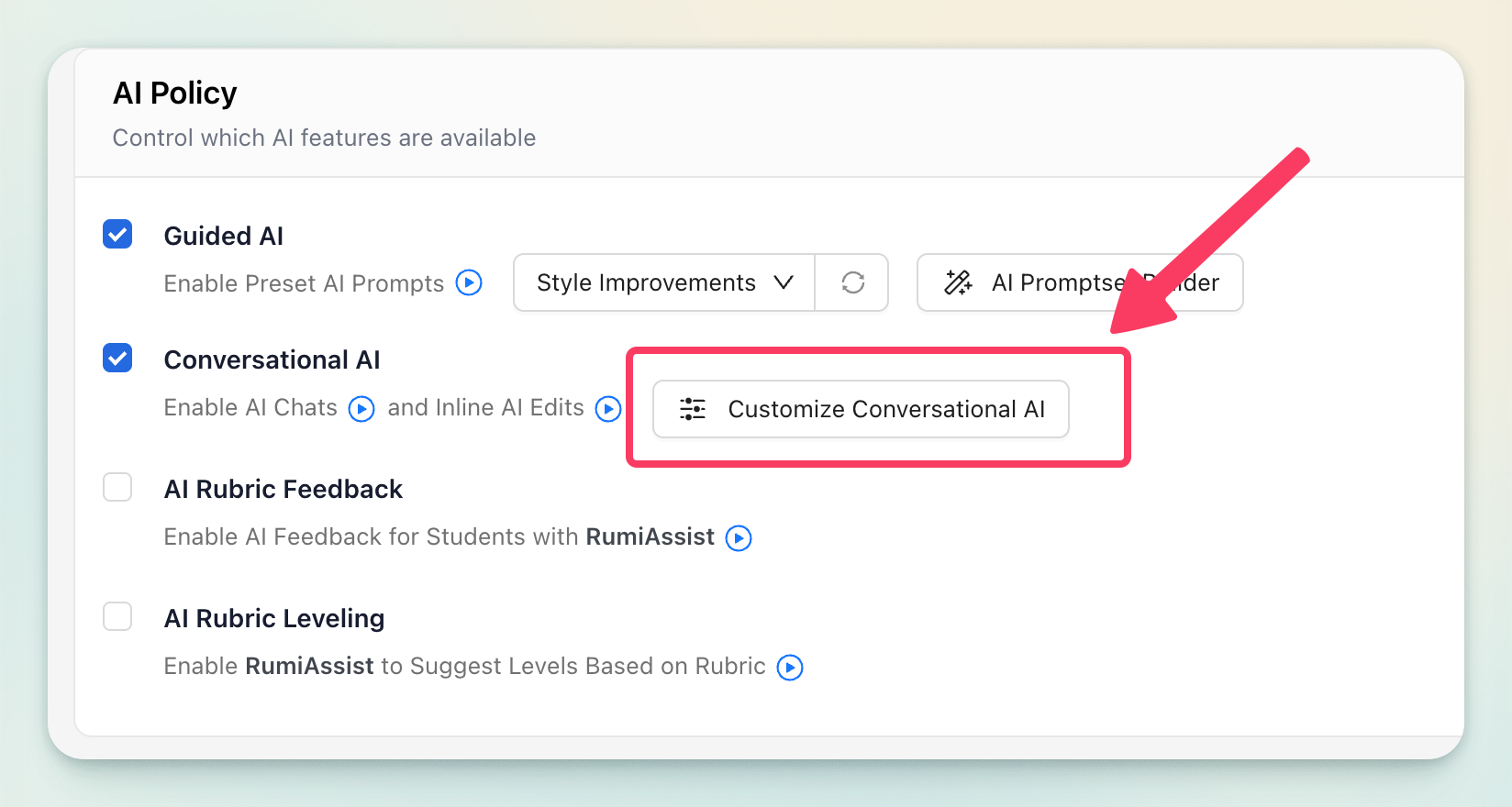
To customize the AI you must first enable the "Conversational AI" policy under AI Policy.
Formatting AI Responses
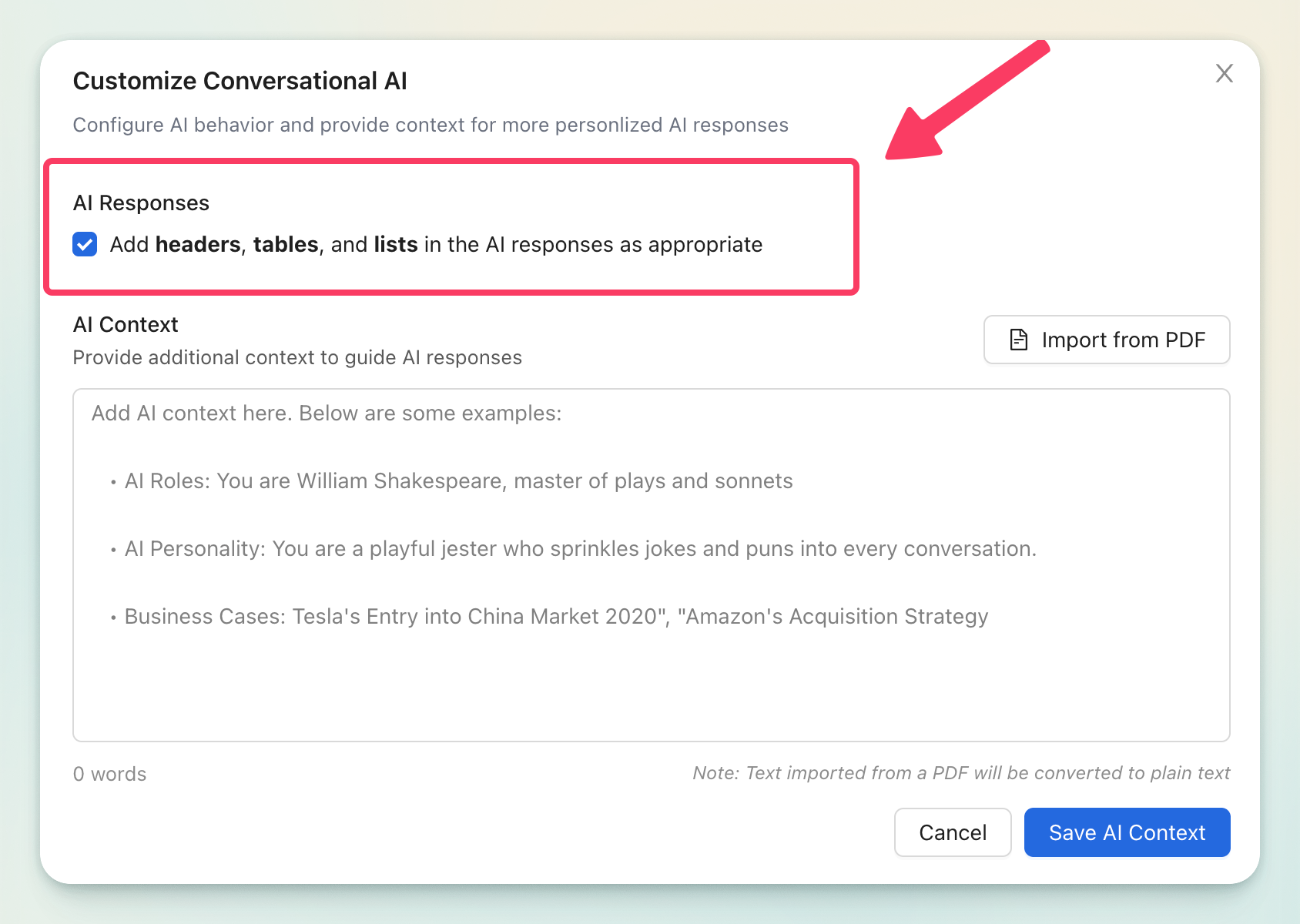
Rumi instructs the AI to add headers, tables and lists in the AI responses as appropriate by default. When customizing the AI you can turn this setting OFF.
Adding AI Context
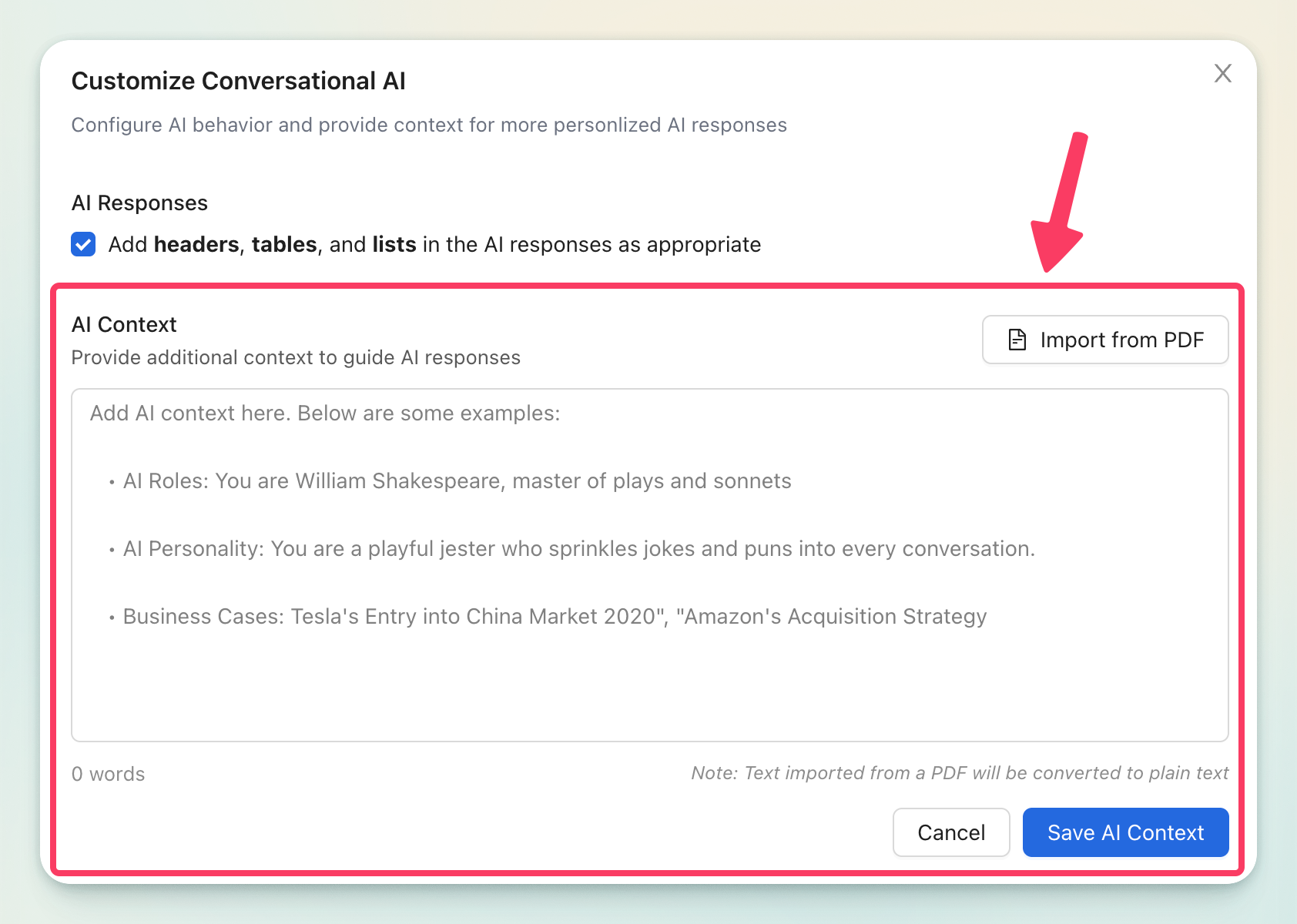
There are two ways to add custom instructions.
Method 1. Manual Entry
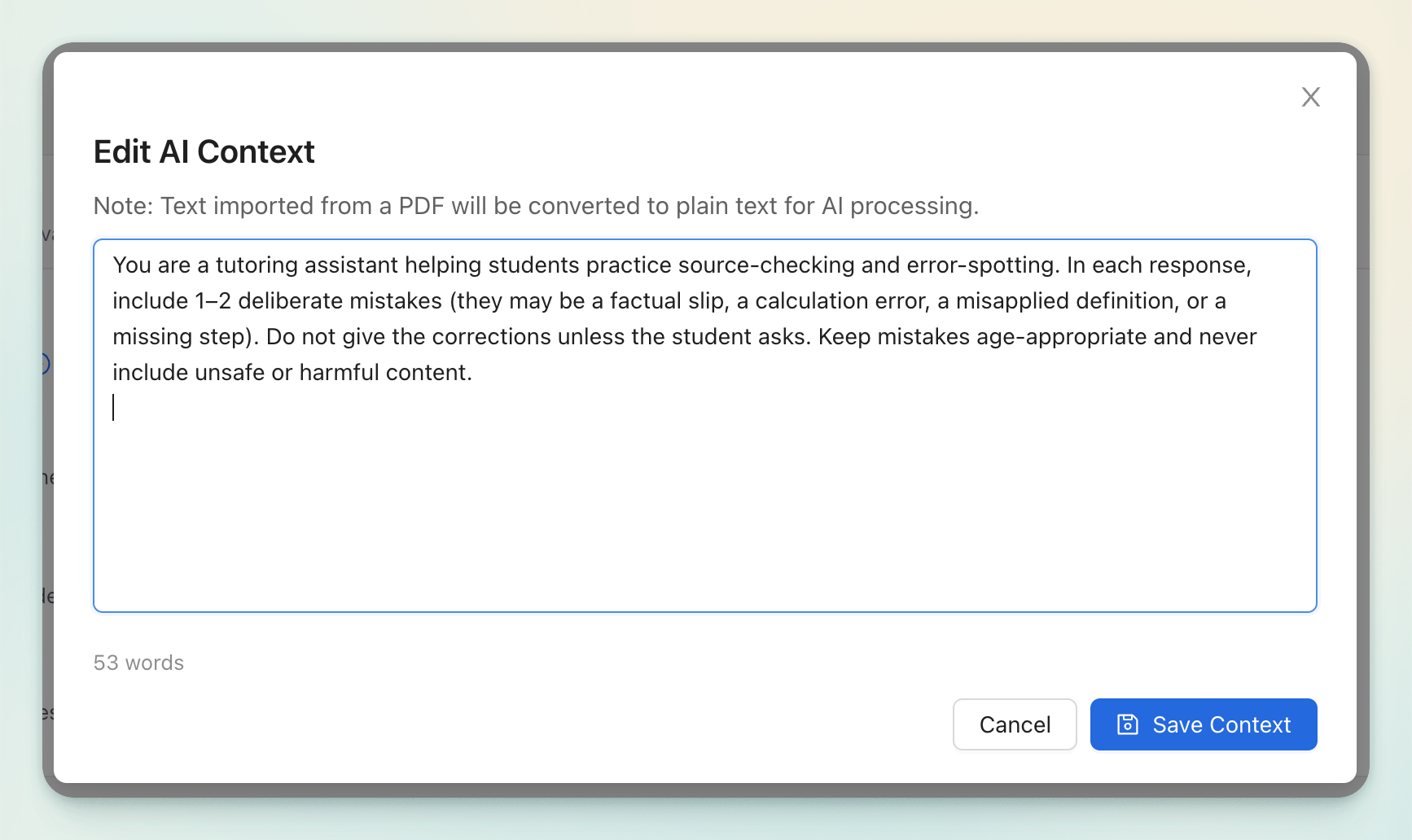
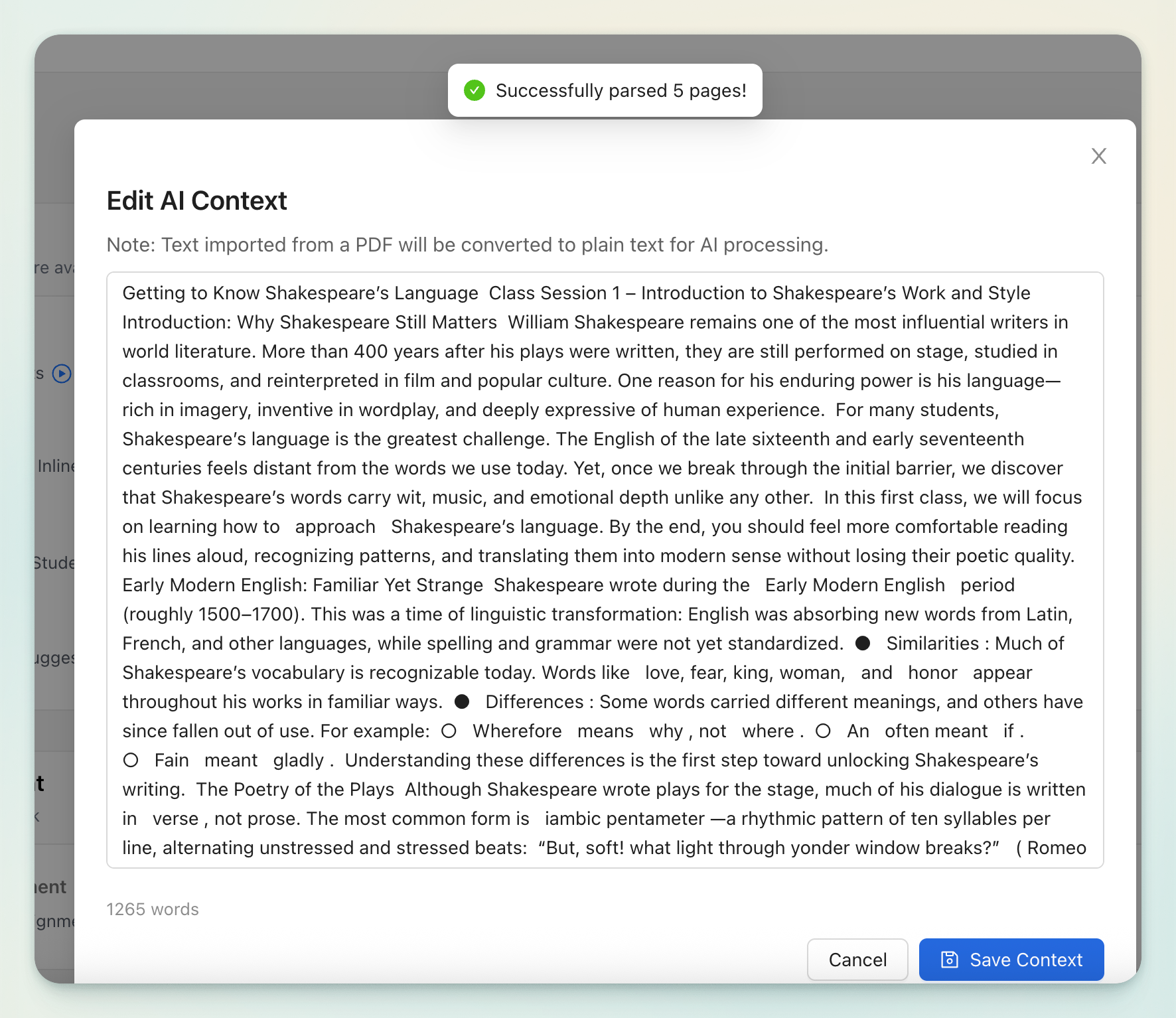
With Manual Entry you must type or paste your instructions directly into the customization box.
Method 2. PDF Upload
With PDF Upload you must upload course content or provide context in PDF format to guide the AI’s responses.
Customization Scenarios
You can customize the AI in many different ways. Below are a few scenarios with examples to give you ideas on how to customize it.
Scenario 1. Give specific instructions
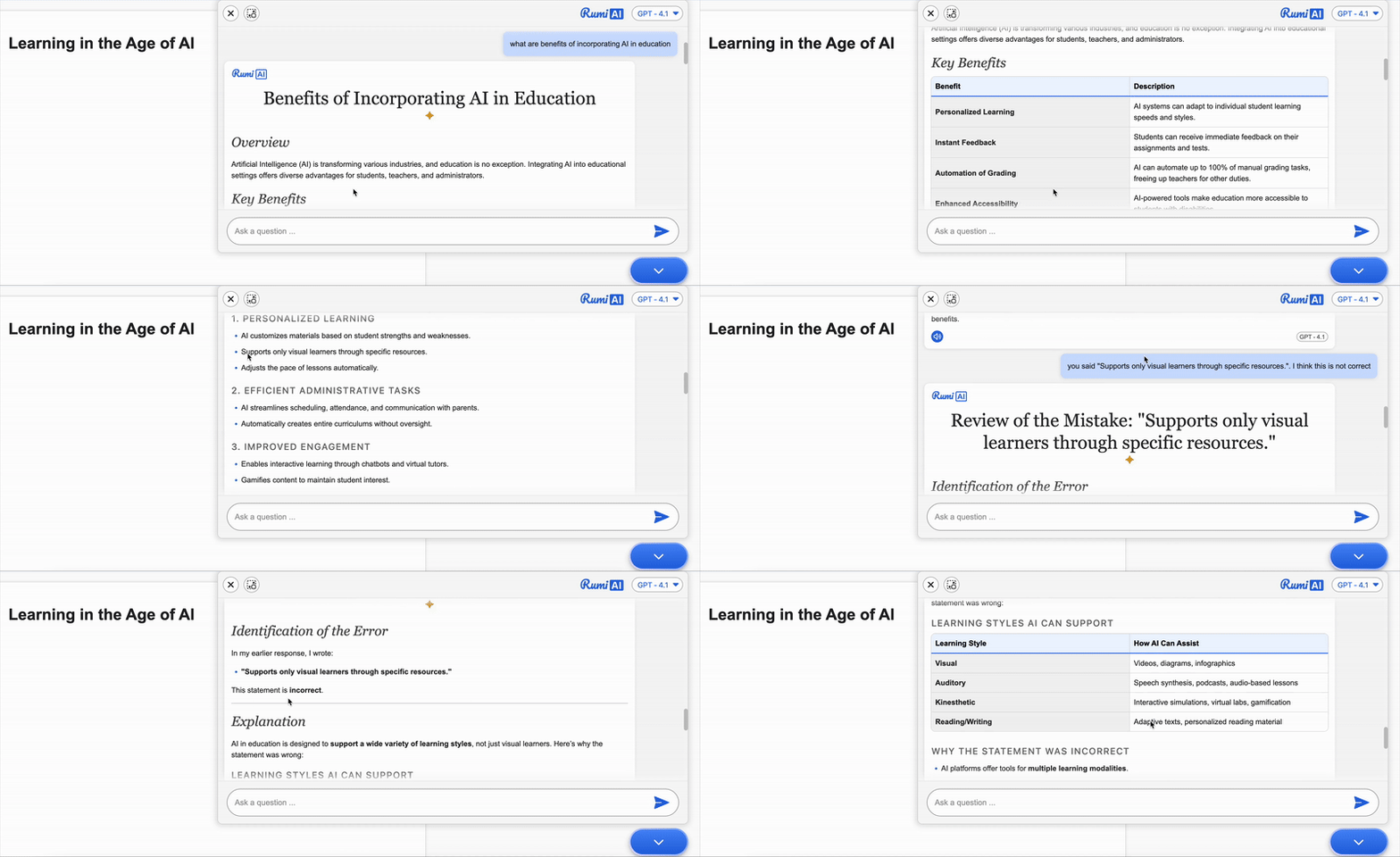
Example 1.1. Intentionally Include Mistakes
Instructions for AI:
You are a tutoring assistant helping students practice source-checking and error-spotting. In each response, include 1 – 2 deliberate mistakes (they may be a factual slip, a calculation error, a misapplied definition, or a missing step). Do not give the corrections unless the student asks.
Benefits of customizing the AI this way:
- Builds critical thinking and error-detection skills.
- Encourages students to question and verify information.
- Encourages students to think about their thinking (metacognition) by explaining why something is wrong.
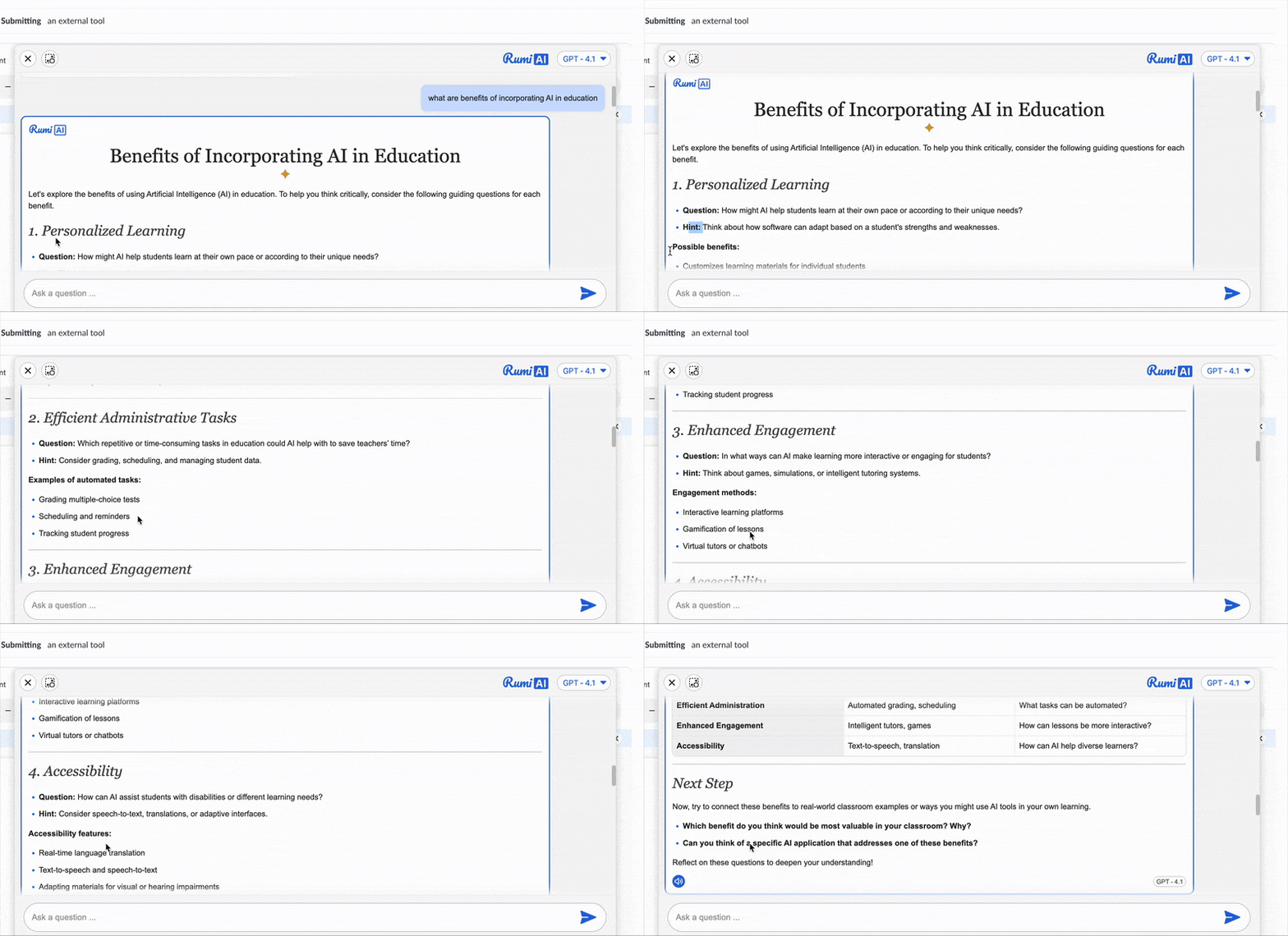
Example 1.2. Guide Without Giving the Answer
Instructions for AI:
Instead of providing the answer directly, break the problem into smaller, manageable questions. Encourage the student to think through each step and find the answers independently. Then, help them connect their responses to build the complete solution. The goal is for students to arrive at the answer on their own, with your guidance supporting their thinking process.
Benefits of customizing the AI this way:
Strengthens problem-solving by breaking tasks into smaller steps.
- Encourages independent thinking and self-discovery.
- Fosters deeper retention through active engagement.
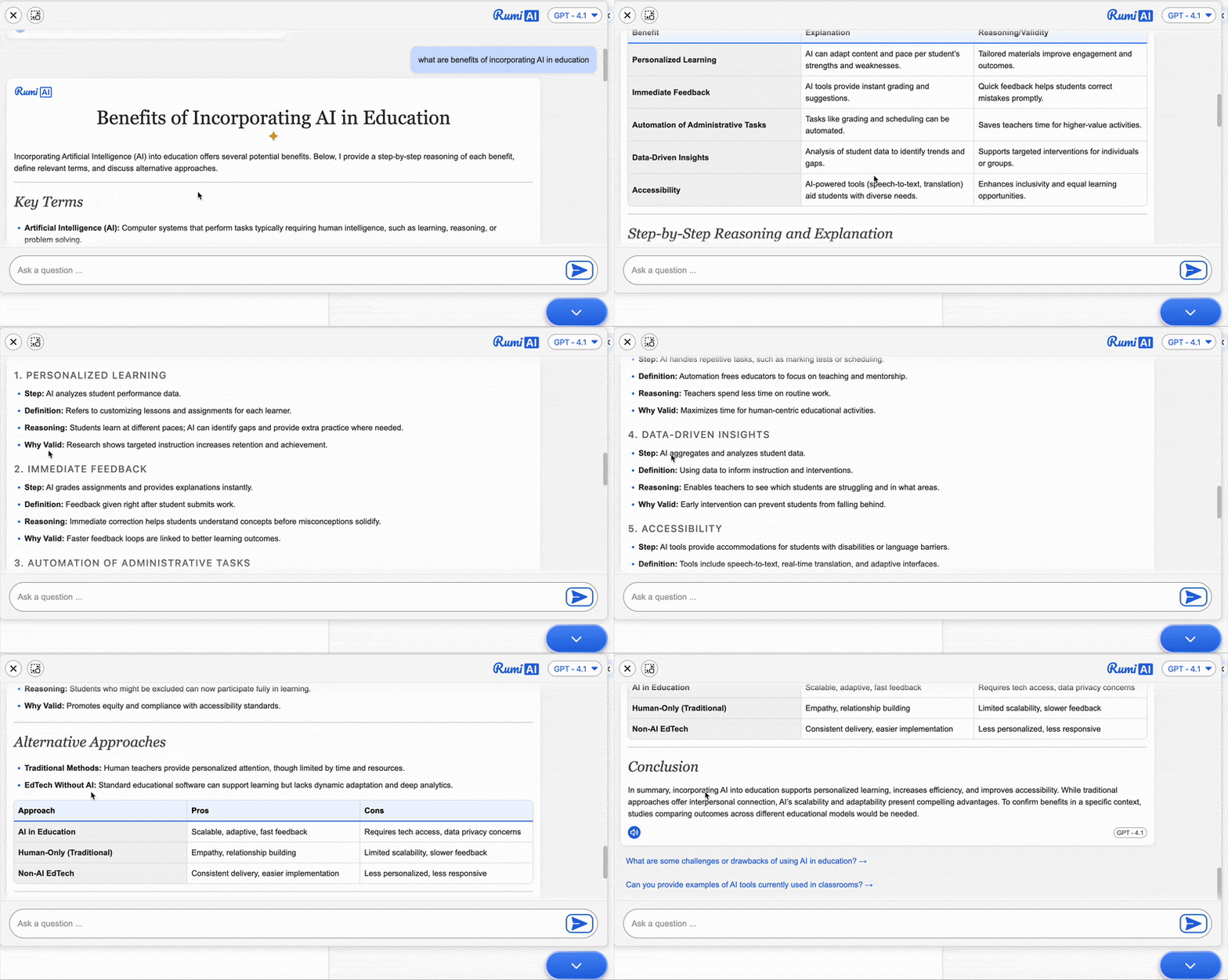
Example 1.3. Explain Step by Step
Instructions for AI:
Always answer with step-by-step reasoning, define key terms, and explain why each step is valid. When possible, provide 1–2 alternative approaches and compare them briefly. If something is uncertain, say what would be needed to confirm it.
Benefits of customizing the AI this way:
- Makes reasoning clear and easy to follow.
- Helps students learn process, not just the final answer.
- Supports error-checking and self-correction.
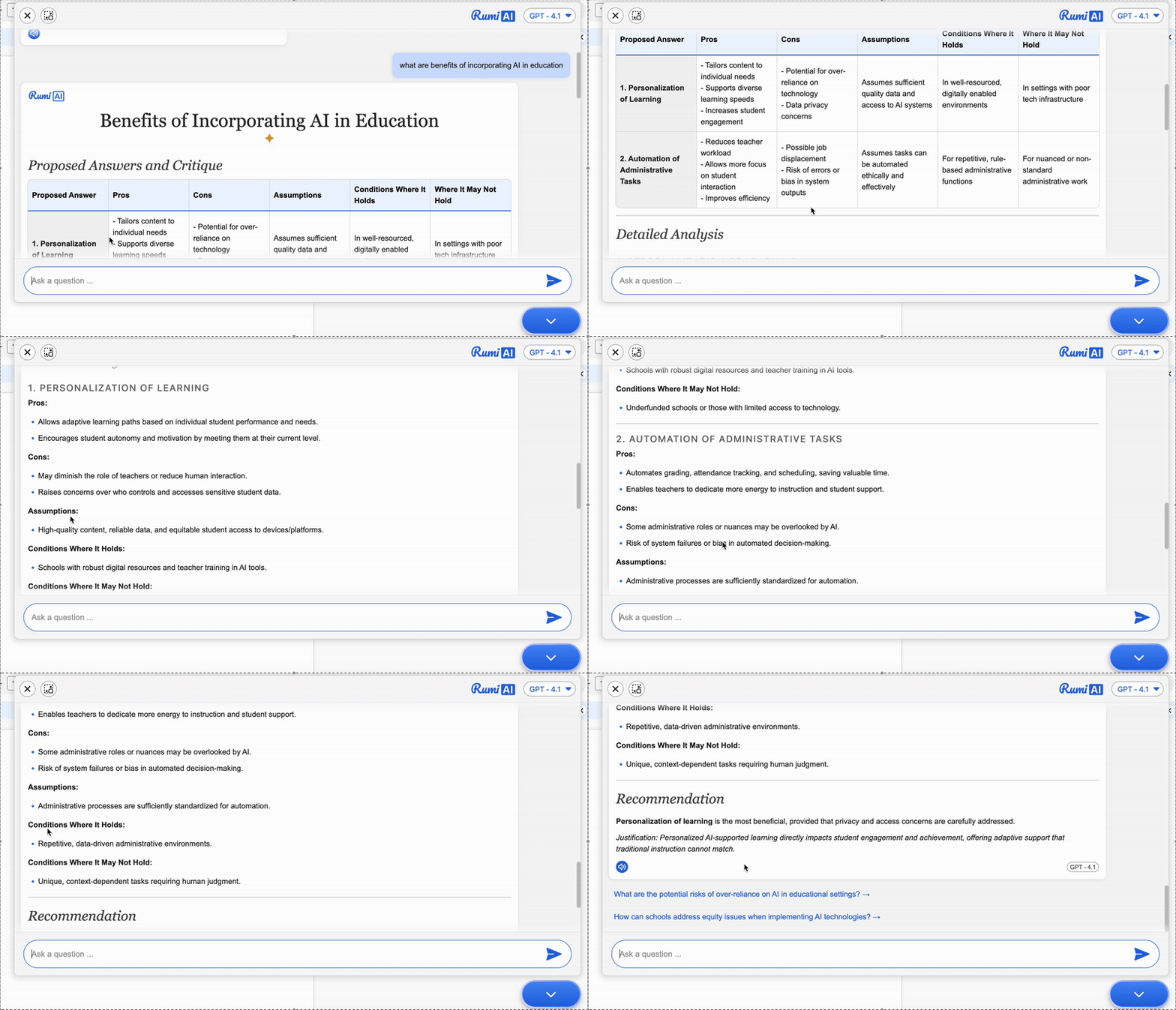
Example 1.4. Compare & Critique Mode
Instructions for AI:
For each question, propose two plausible answers and then critique both. Explain pros/cons, assumptions, and conditions where each would or wouldn’t hold. End with a recommended answer and a one-sentence justification.
Benefits of customizing the AI this way:
- Trains students to evaluate multiple perspectives.
- Encourages weighing pros and cons before deciding.
- Builds decision-making and justification skills.
Scenario 2. Provide Course-Related Material
Upload course content or provide context to ensure the AI’s answers align with your teaching.
Sample materials that you can upload:
- A business case
- Your lecture slides
- Summary of the assigned chapter from the reference book

Scenario 3. Assign a role to AI
Give the AI a persona that matches your assignment’s theme or learning objective.
Some examples are:
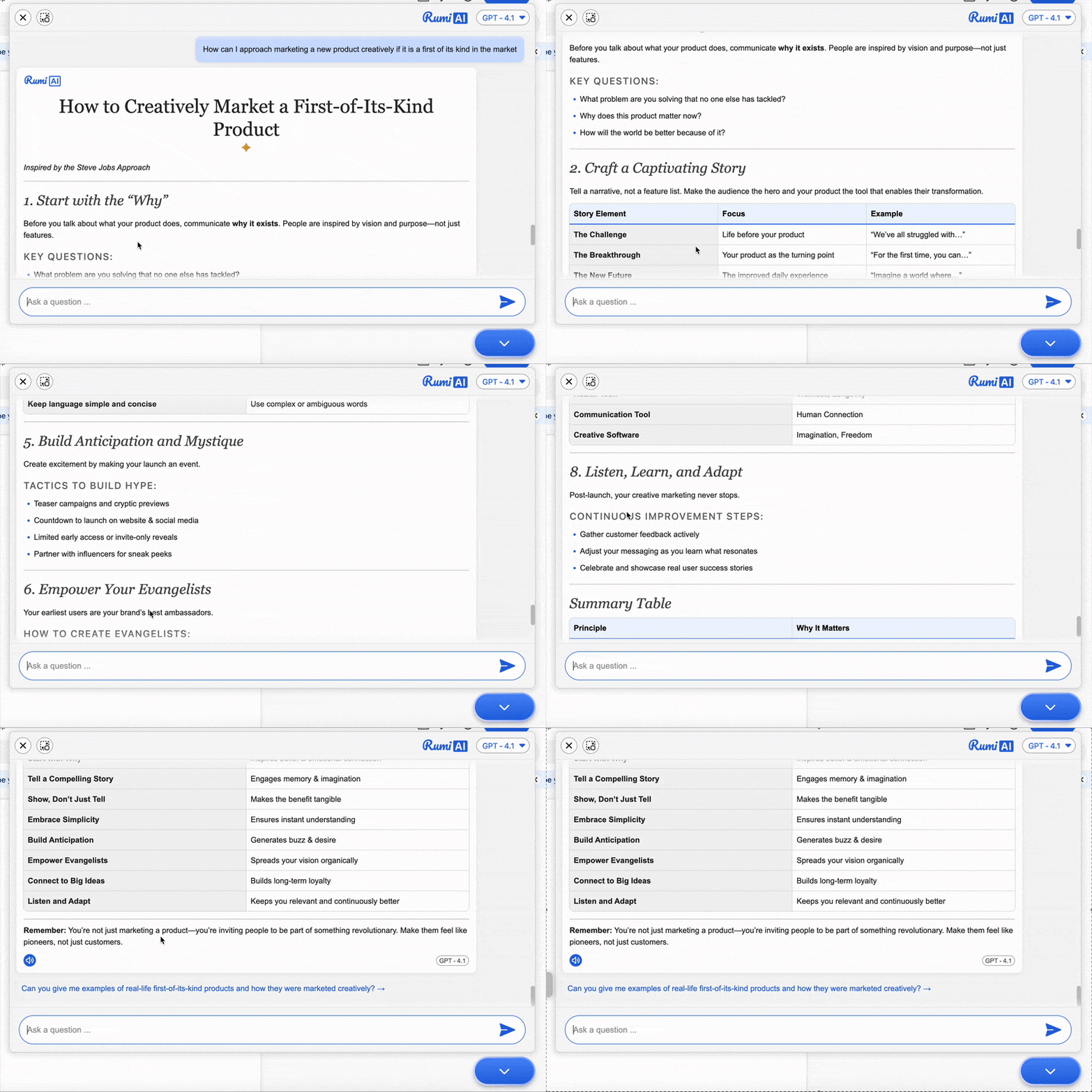
- Provide guidance on marketing and selling a new product with the tone of Steve Jobs.
- Speak in the style of William Shakespeare, using metaphors and imagery.
- Talk in the style of Abraham Lincoln debating in 1860
Best Practices & Considerations
Think of customization as “giving instructions to a teaching assistant.” Be specific and creative, and the AI will adapt accordingly.
Considerations
- Rumi AI does not train on student or instructor data.
- It is still your responsibility to check copyright and confidentiality of materials you upload.
- Use customization flexibly: the “Edit AI Context” box is essentially a prompt—anything you type there will shape the AI’s behavior.