Guided AI & AI Promptset Builder
Intro
AI Prompts allow students to choose from a curated list of instructions to make AI-powered edits or receive feedback within a document.

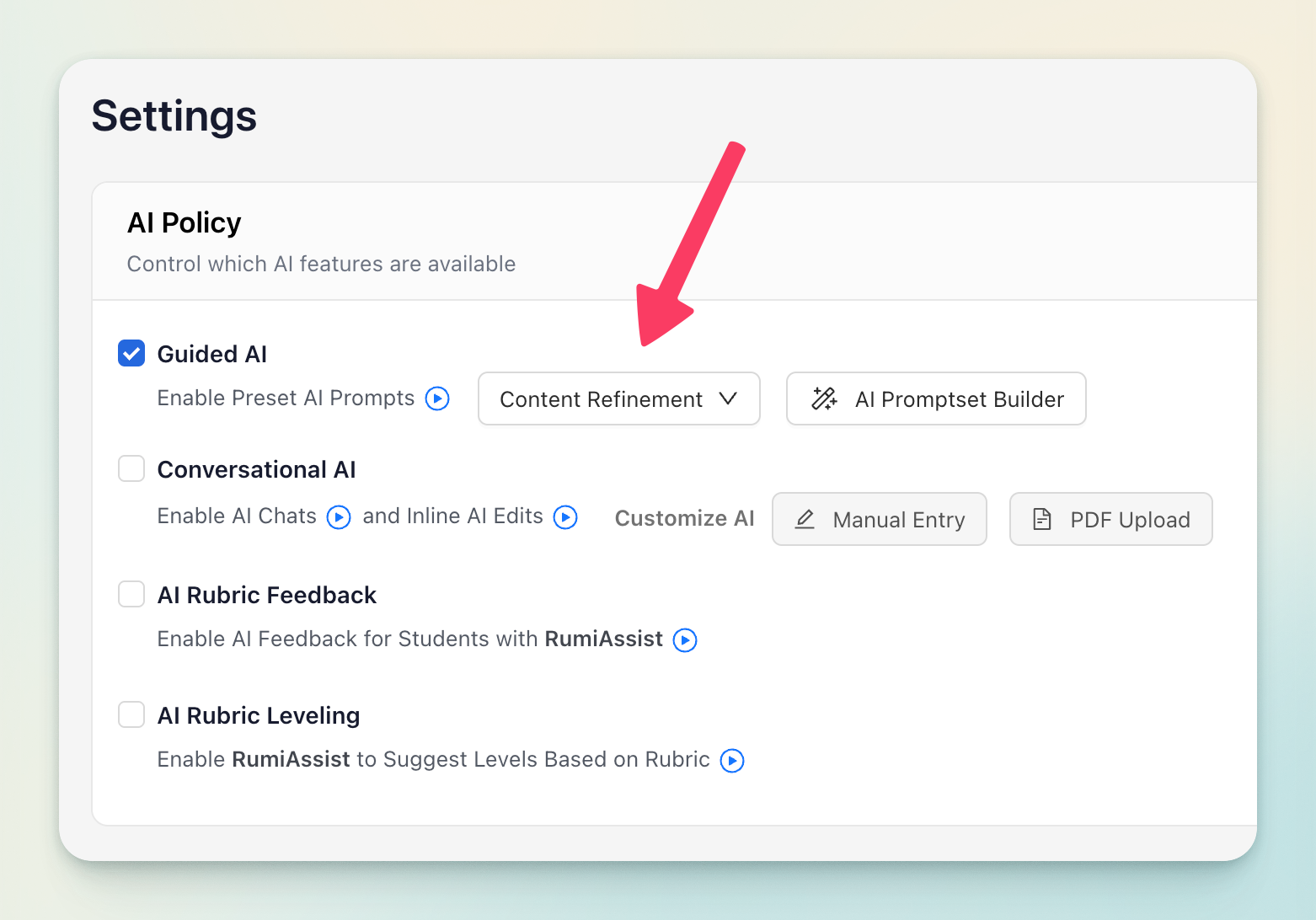
Instructors control which prompts are available for a given assignment through the Rumi Dashboard. They can select from pre-existing generic Promptsets or build their own custom Promptsets, which can then be reused across multiple assignments. This ensures AI assistance is always tailored to the learning objectives.
Types of AI Prompts
There are two types of AI Prompts: those that Can Replace Text in a document, and those that Cannot Replace Text and only display an AI response. Below, we explain each type in more detail.
Can Replace Text
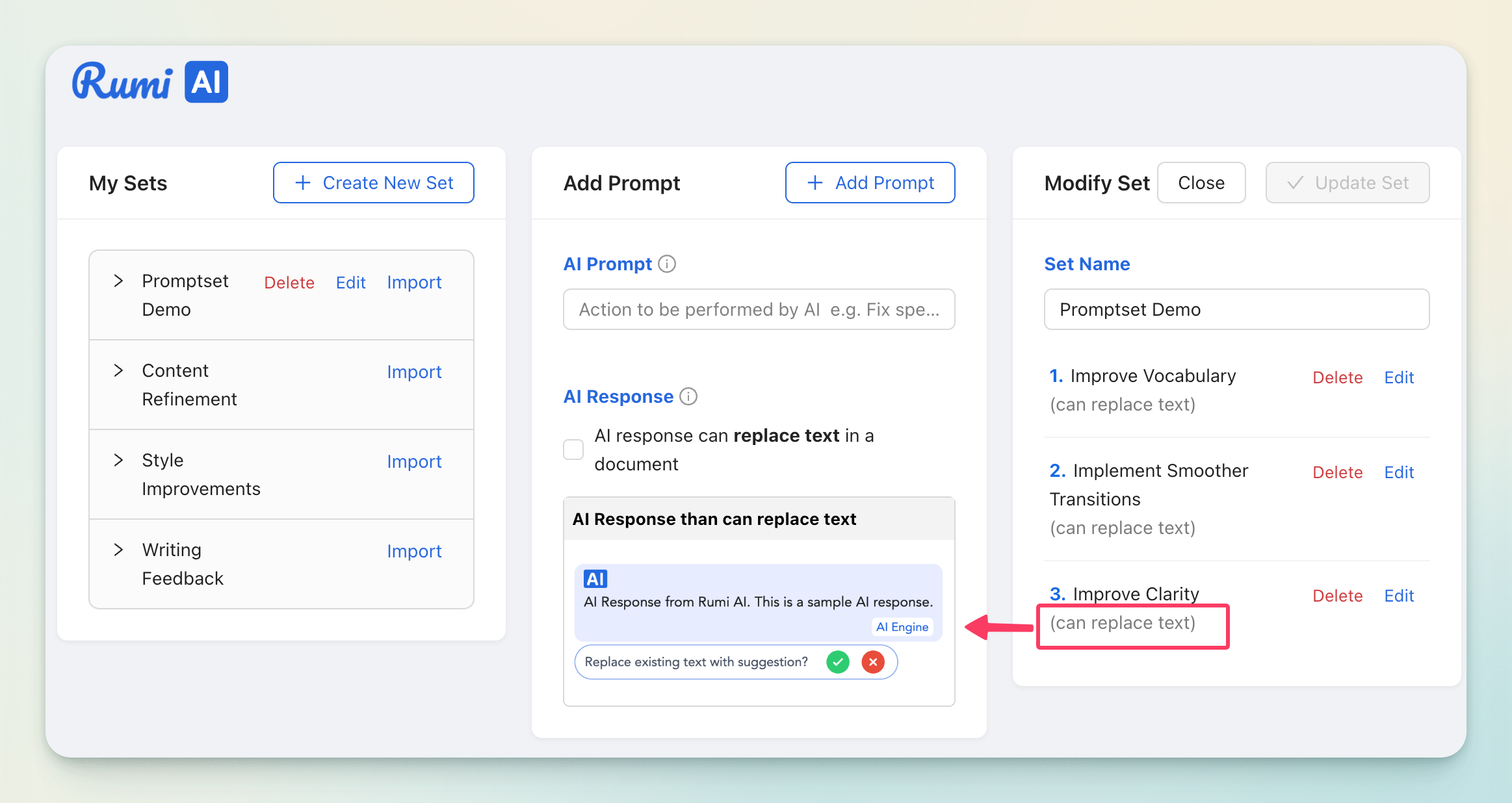
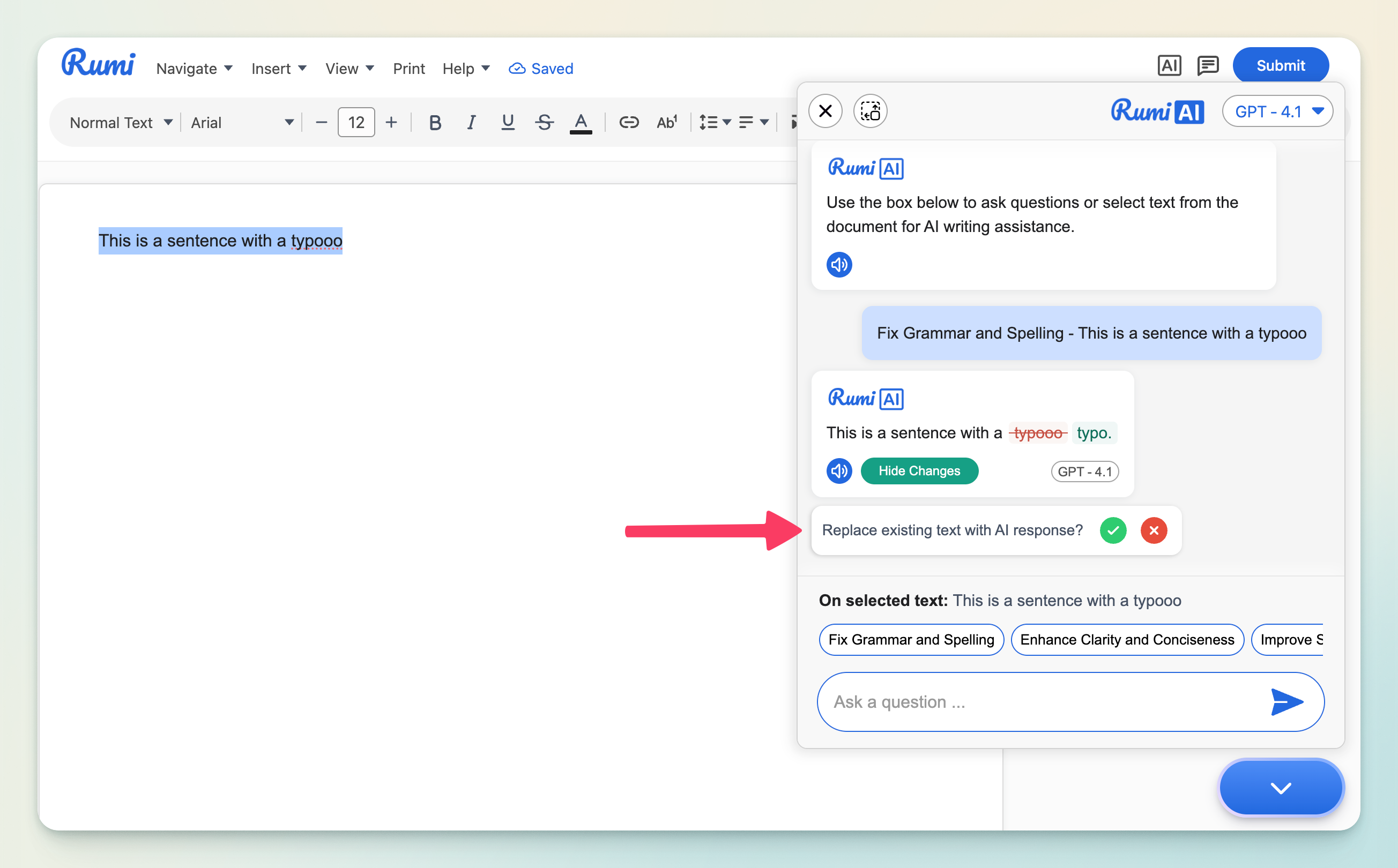
Some AI Prompts have the ability to directly replace text in the document. For example, prompts such as “Translate to English”, “Fix Grammar & Spelling”, “Translate to German”, or “Make it more concise” are often set by instructors to allow AI to generate and insert the improved version directly into the document.
Cannot Replace Text
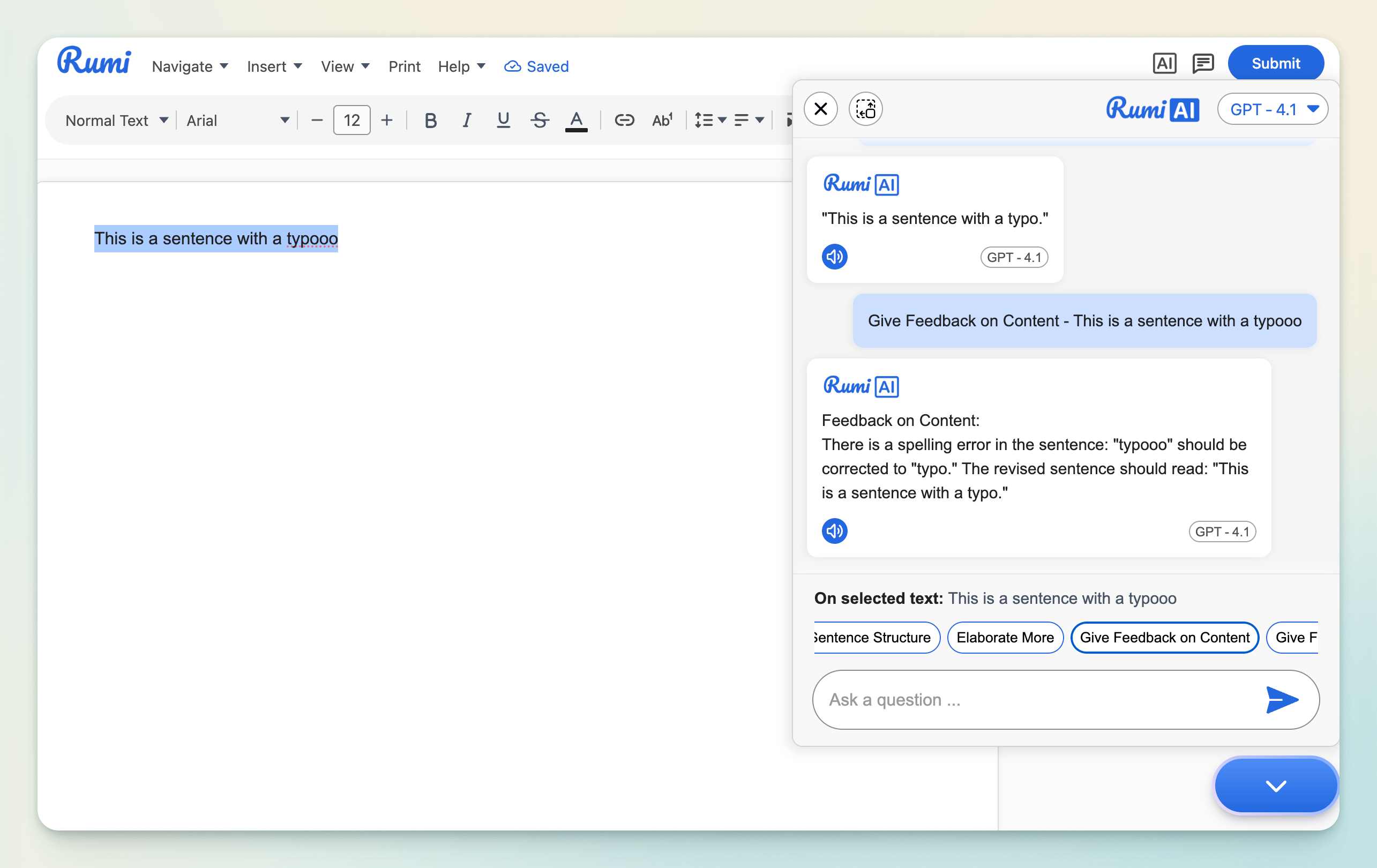
Other AI Prompts provide feedback only and do not modify the document text. These prompts are designed to guide students in improving their work while leaving the editing to them. Examples include “Give feedback on grammar” or “Give feedback on content”.
Using AI Prompts
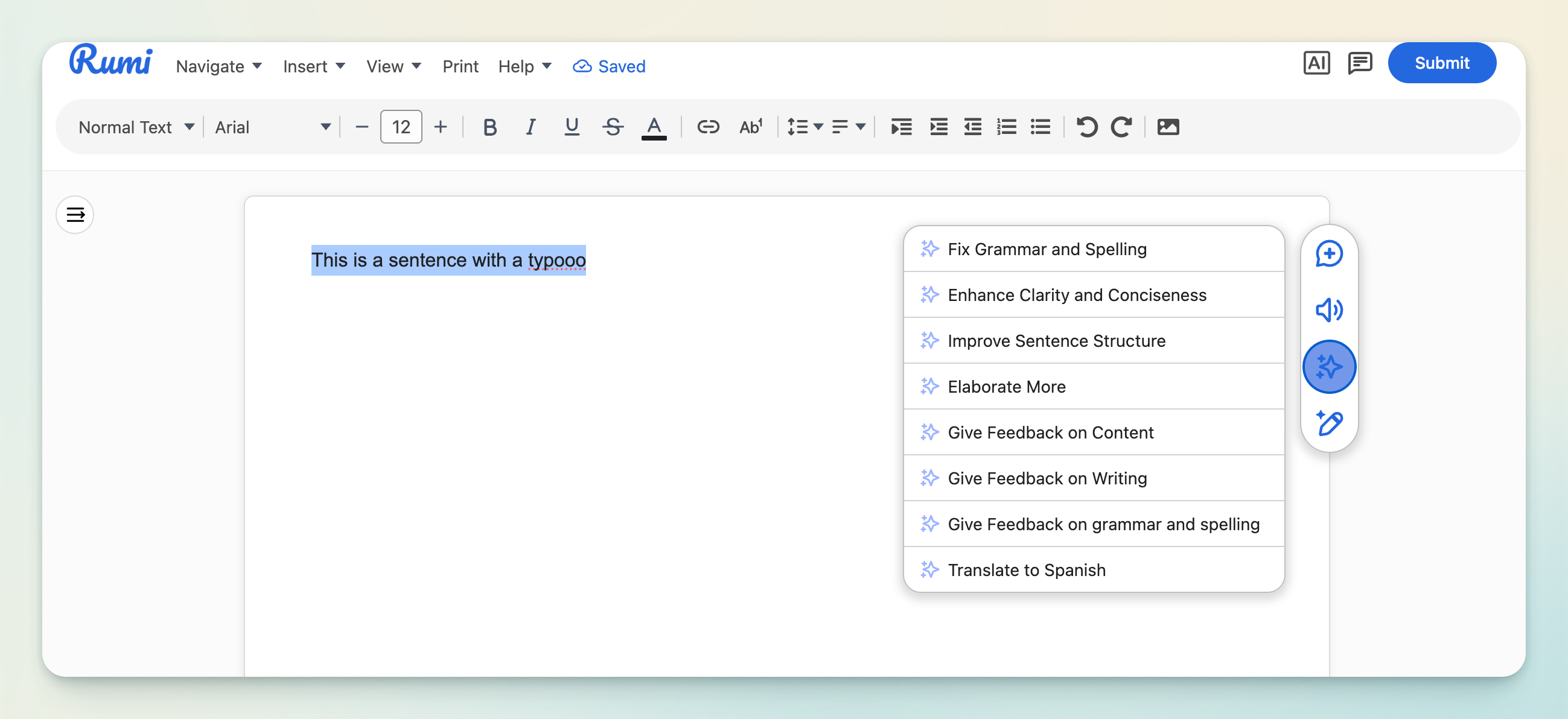
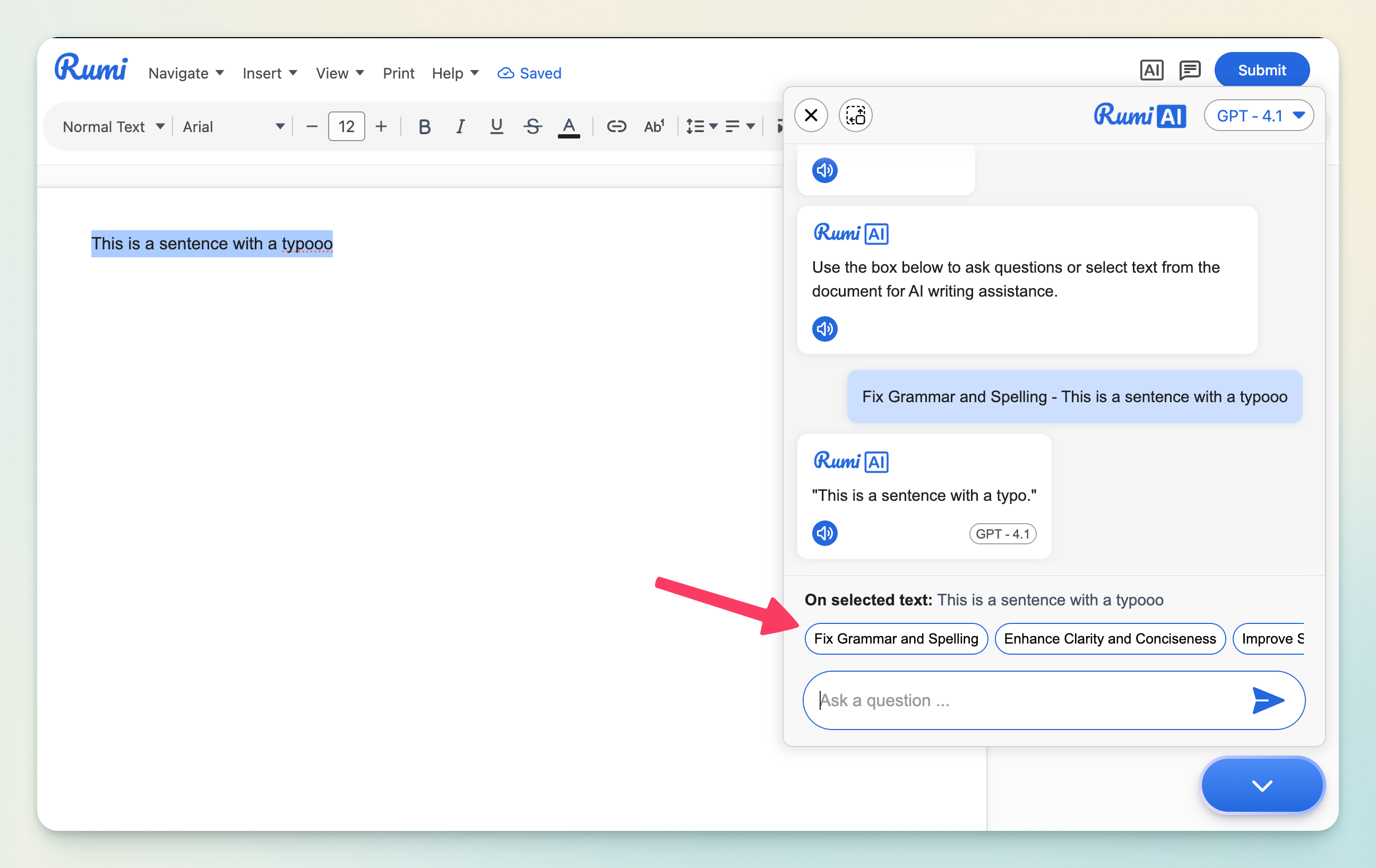
To use an AI Prompt, students first highlight a section of text in their document. They can then trigger the AI Prompt either through the Floating Context Action Menu (which appears near the highlighted text) or via the Rumi AI Panel at the bottom of the document. This gives students a seamless way to apply prompts while working.
Creating AI Promptsets
Instructors (or admins) can create and manage AI Promptsets through the AI Promptset Builder, giving them full flexibility over which prompts students can access.
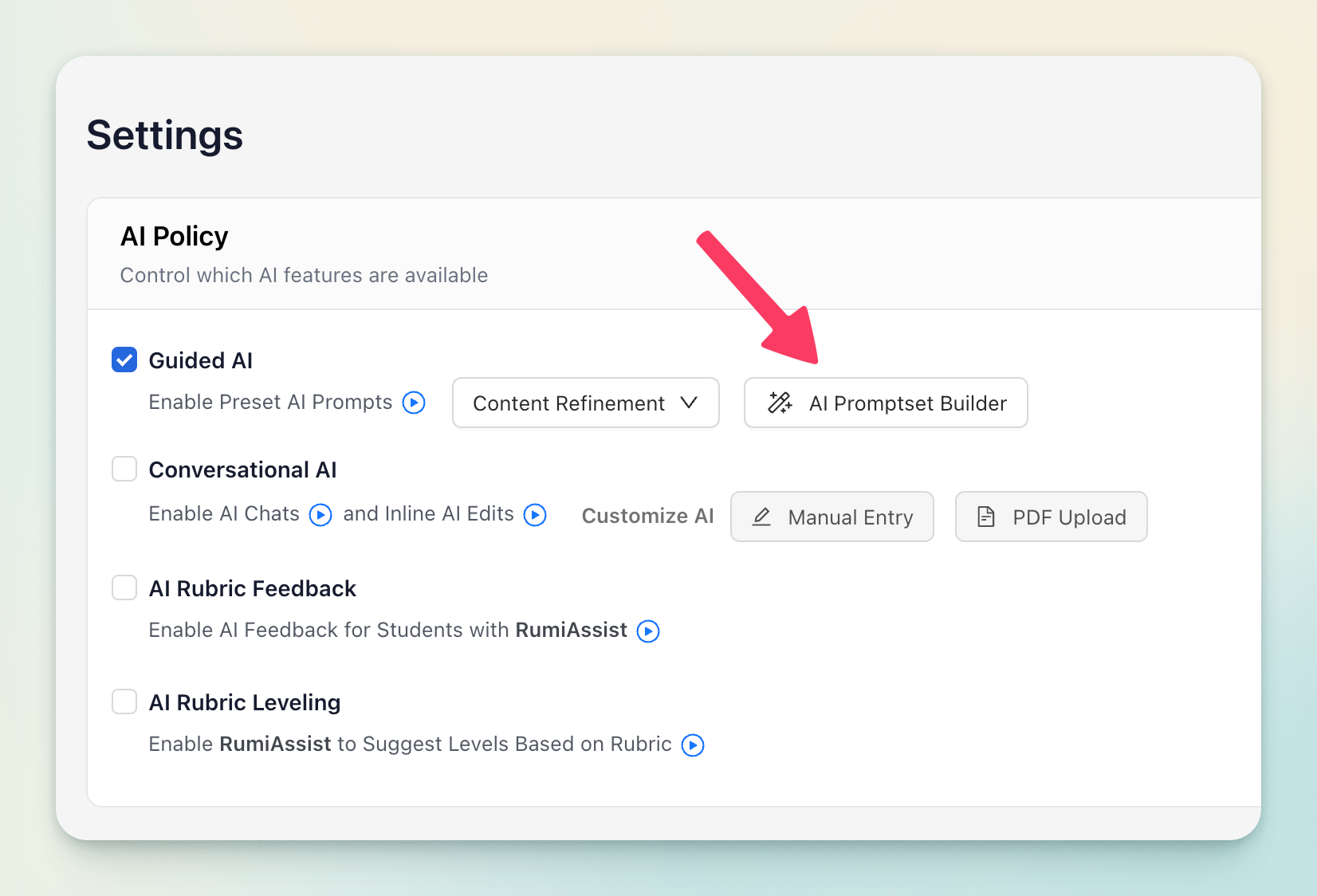
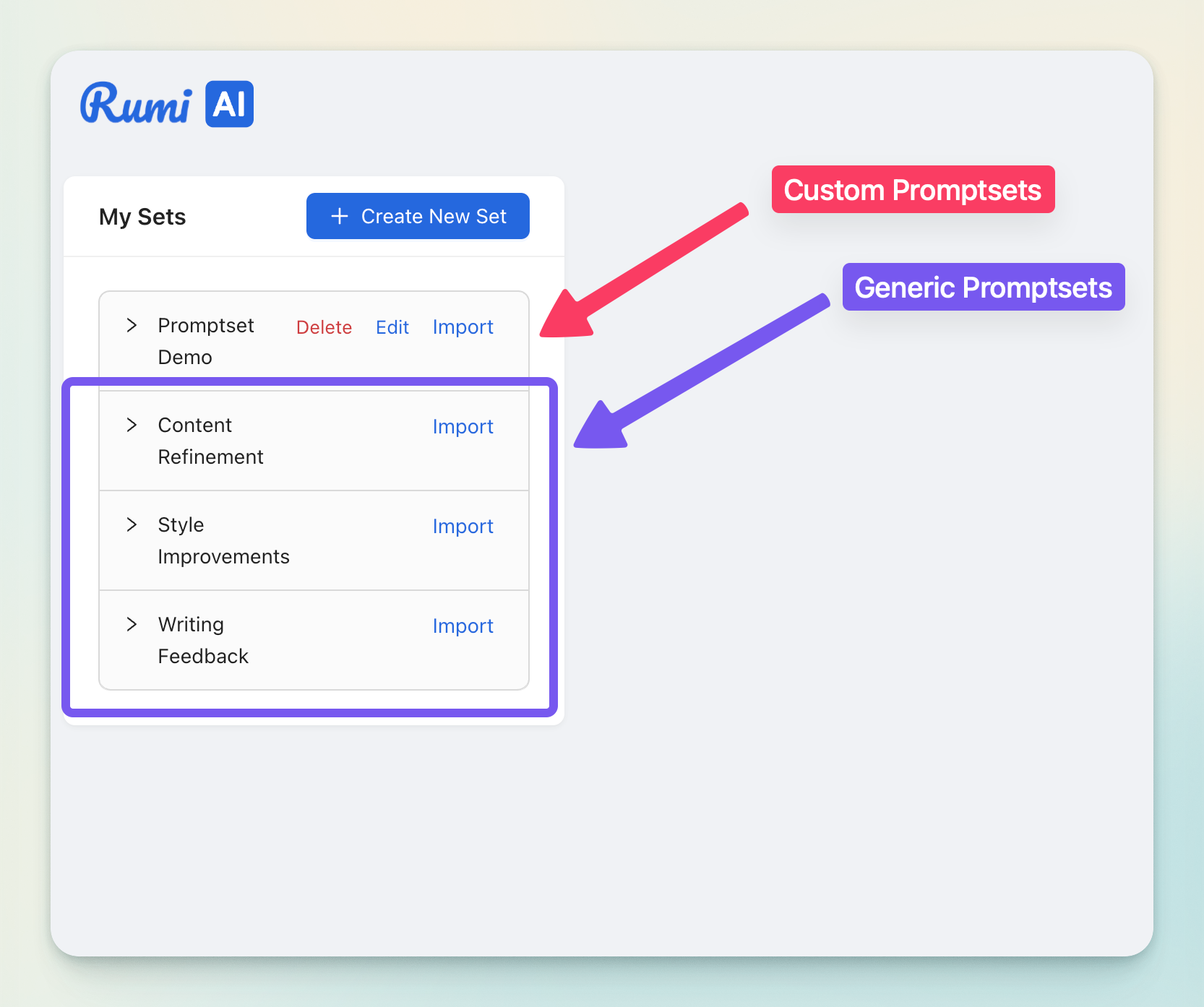
Create New Set
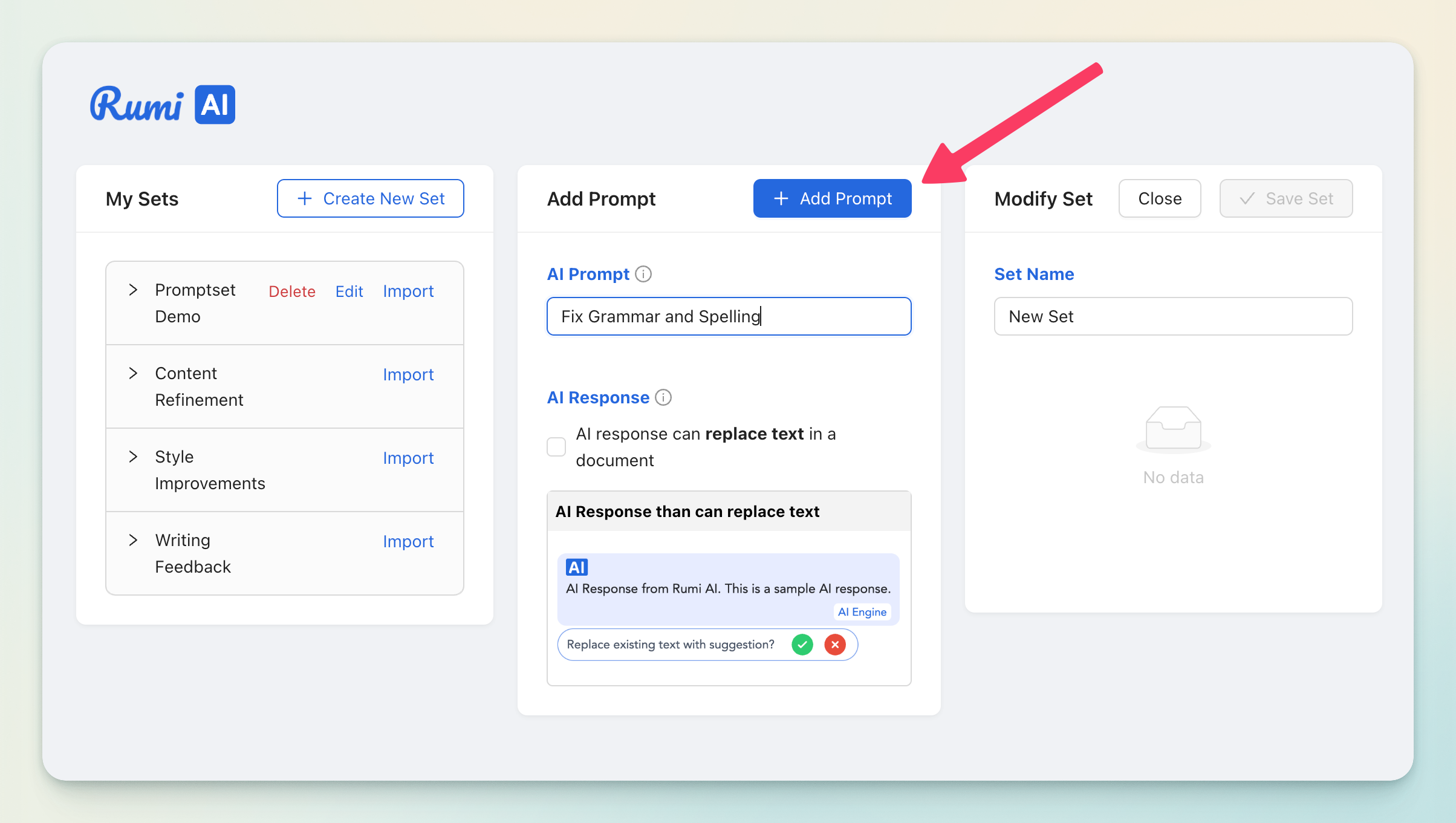
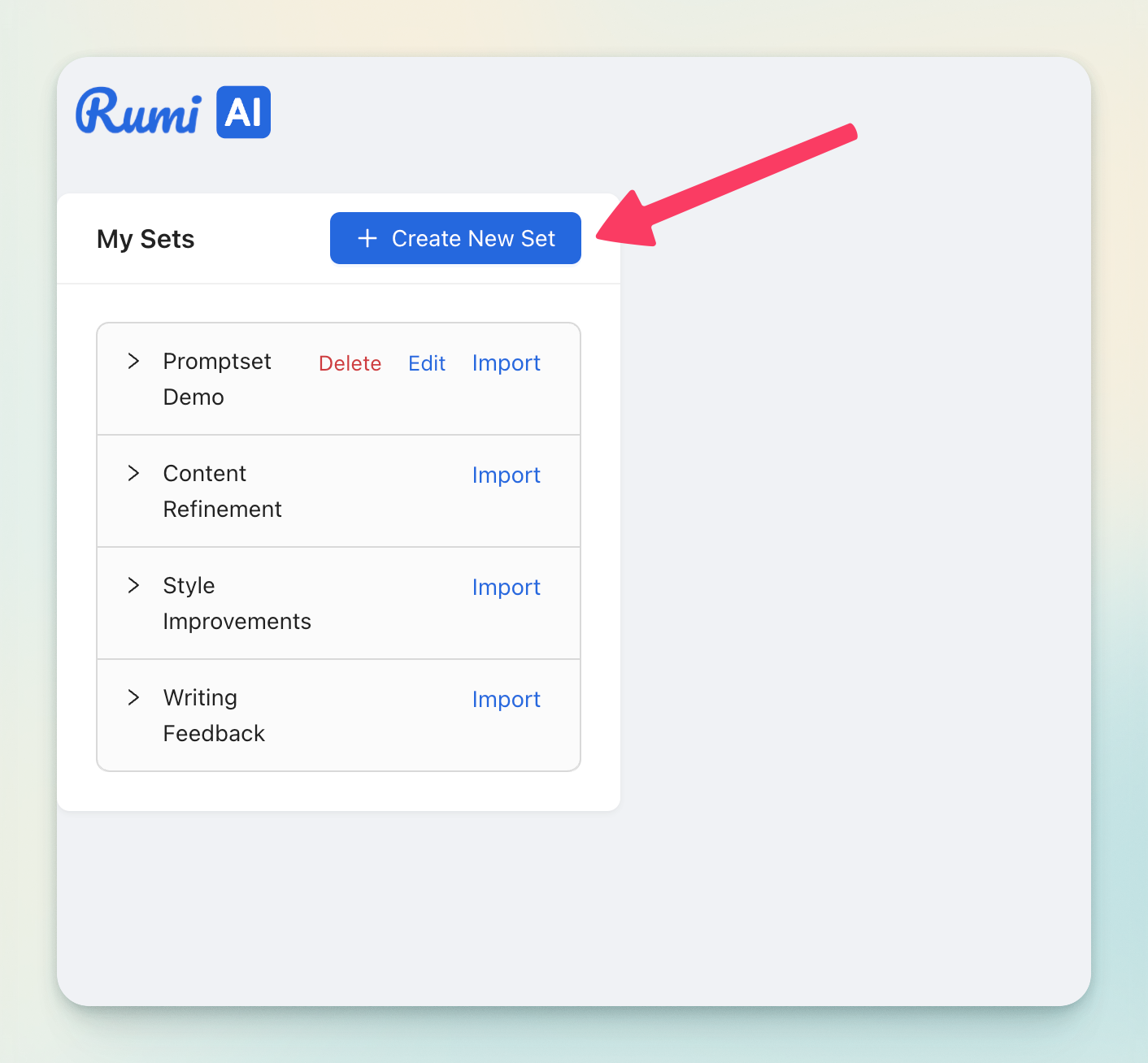
To start, click the “Create New Set” button in the Promptset Builder. This expand the workspace so instructors can begin assembling their collection of AI prompts.
Add AI Prompt to Set
To add a new AI prompt to set, click the “Add Prompt” button in the Promptset Builder. Here, instructors can customize the prompt details and decide whether it should be allowed to replace text in the document or only provide feedback.