Blocking Third-Party Plugins
Intro
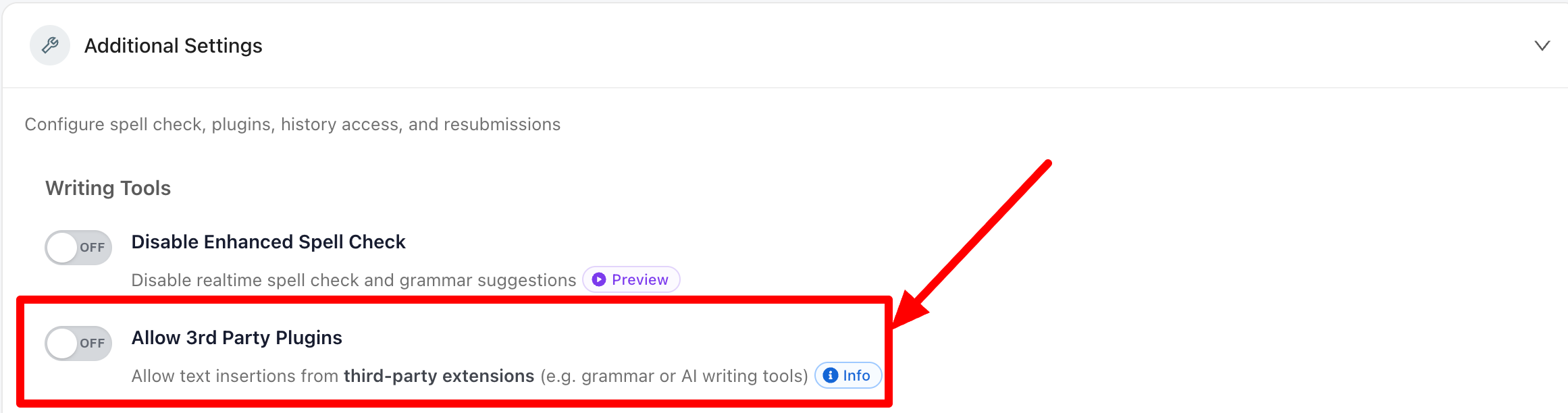
The “Allow 3rd-Party Plugins” setting, which is OFF by default, blocks text insertions or edits from external apps and browser extensions, such as grammar-enhancement tools and browser-based AI tools that modify text.
To keep minor corrections convenient, Rumi allows very small manual pastes or inserts of fewer than 30 characters (≈2–3 words), so routine tweaks don’t become disruptive to normal writing flow.
Why Keep This Setting OFF?
This setting is especially helpful when you want to:
- Enforce your course’s AI and academic‑integrity policies.
- Prevent automated text injection from browser extensions or companion apps.
- Reduce noise from paste detection by stopping unauthorized edits at the source.
- Ensure that what you see reflects the student’s own typing and revisions.
How It Works
- When OFF: Rumi blocks text edits originating from third‑party applications or browser extensions in real time and shows the student a message explaining the unauthorized edit.
- When ON: Third‑party inserts/edits may be identified as pasted text, but depending on how an extension interacts with the browser Document Object Model (DOM), some changes might not be flagged as paste activity.
- Small manual pastes: Regardless of this setting, Rumi permits manual pastes/inserts under 30 characters to enable quick, non‑disruptive edits.
Student Experience
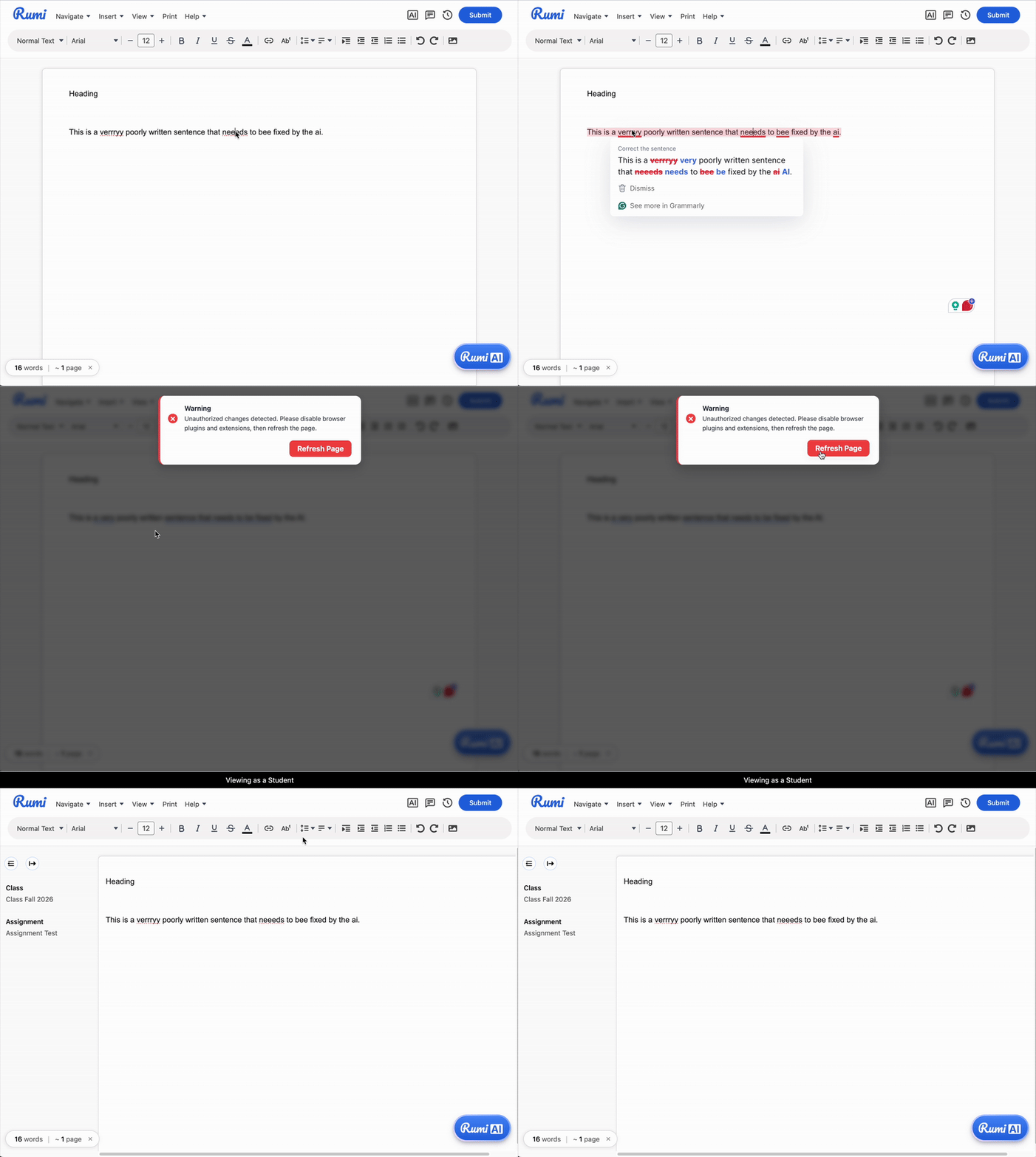
(Allow 3rd Party Plugins) OFF
With the setting OFF, attempts by third‑party tools to insert or modify text are blocked, and the student sees a clear message indicating an unauthorized edit occurred. Normal typing and Rumi actions will only continue to work after the student refreshes the page.
(Allow 3rd Party Plugins) ON
With the setting ON, third‑party edits may be flagged as paste events. However, in some cases these edits may not be detected as "pasted text" depending on how the tool interacts with the browser DOM.
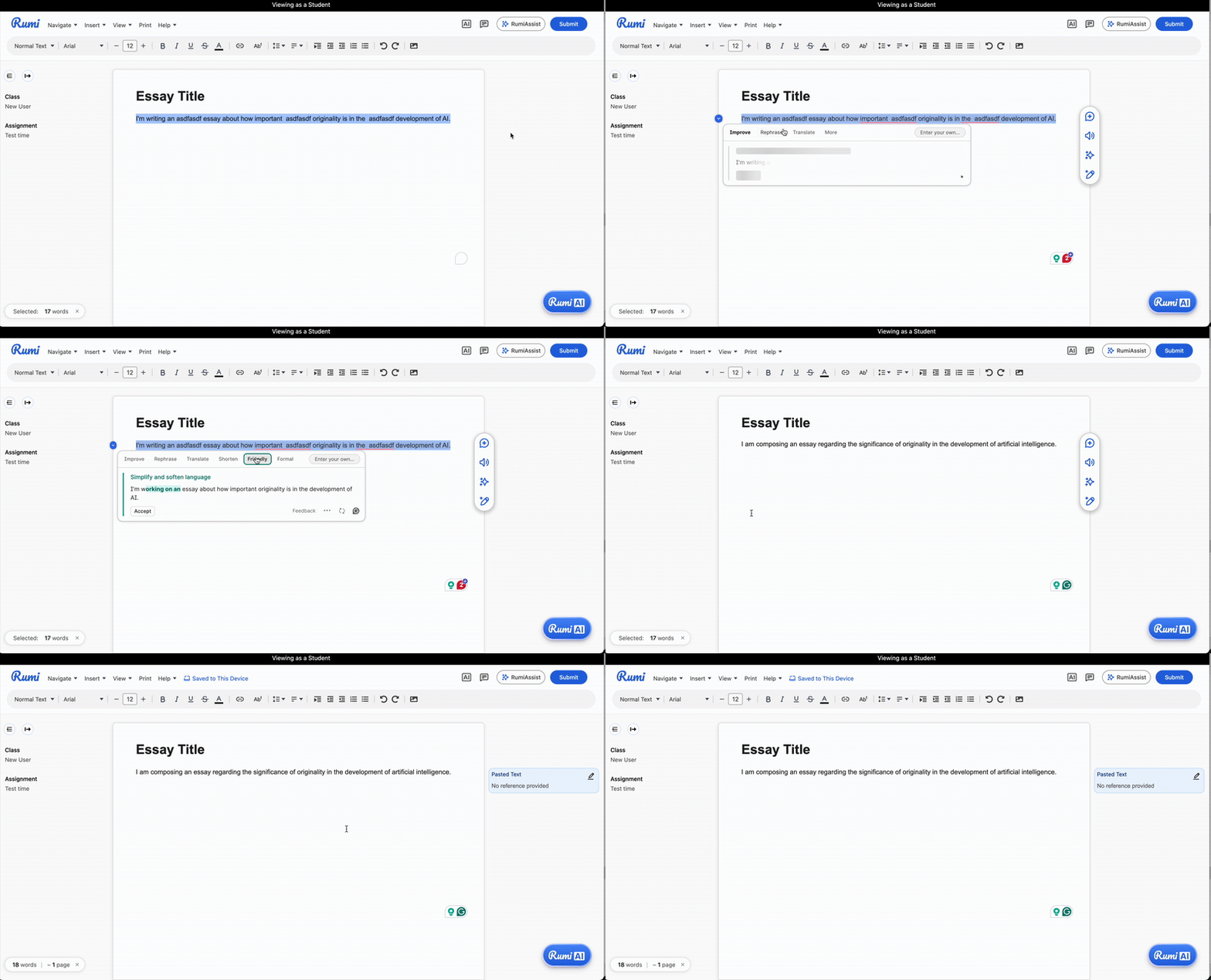
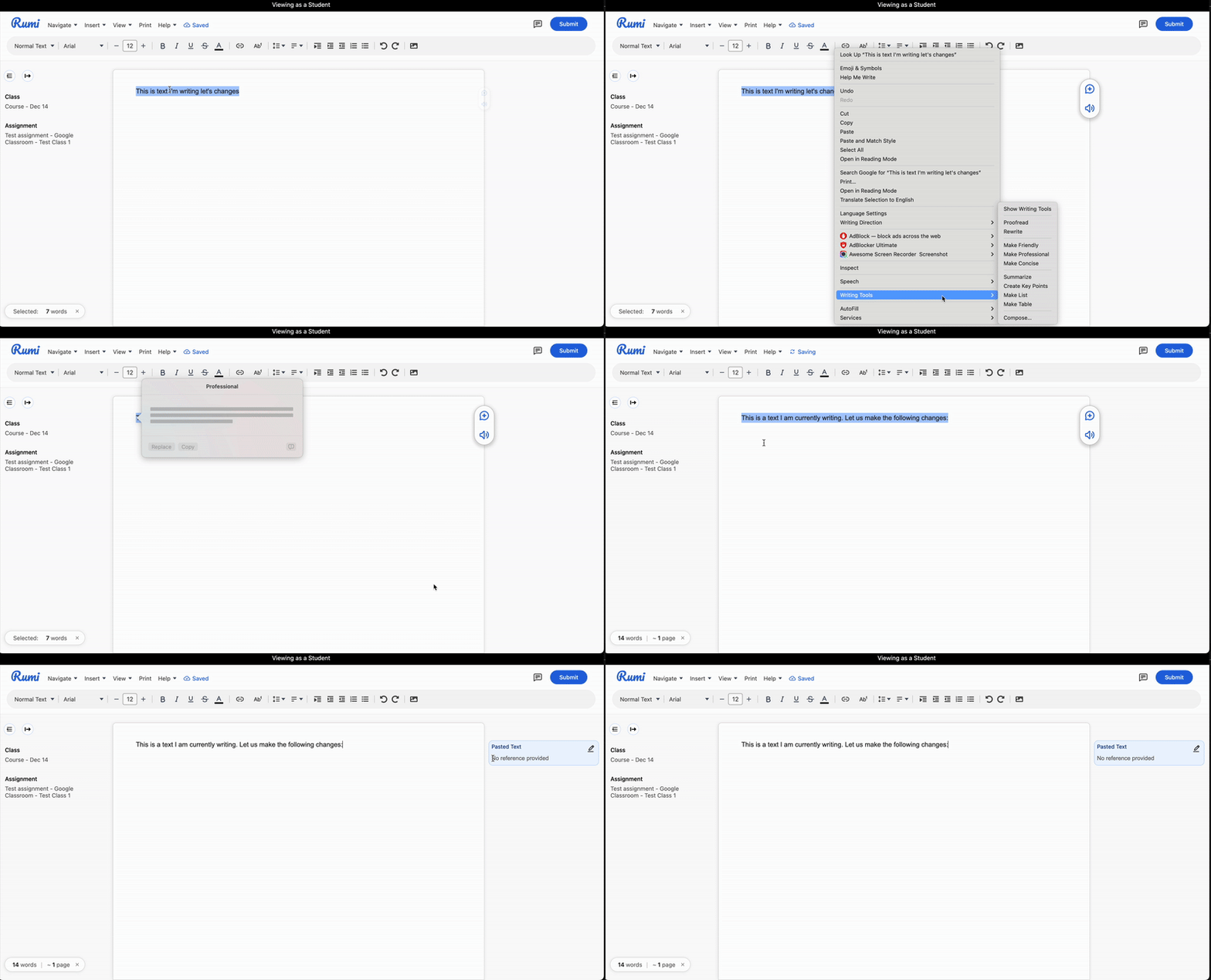
The detection of pasted text depends on how each plugin interacts with the JavaScript page. However, plugins and apps frequently update their logic, what qualifies as “pasted” text can vary based on a plugin’s implementation at any given time. For instance, Grammarly recently updated its algorithm to work across all text inputs, rather than being limited to specific applications like Google Docs.
To solve this, the "Allow / Block plugins" feature checks this at a more fundamental level. It evaluates:
a) whether the inserted text is "noticeable" i.e. more than 30 chars (regardless of source e.g. can be Grammarly, Chrome Browser, or Apple AI tools), an
b) whether it was inserted through a Rumi function — such as AI edits, Rumi paste, citation, etc. If it's through Rumi it's an "authorized edit"
If the system detects a noticable unauthorized insertion, it displays a notice to the user and prevents the edit from being sent to the server, so it is never stored.
How to Allow Third Party Plugins
- Go to the assignment’s Additional Settings.
- Select "Allow 3rd Party Plugins".
Notes & Limitations
- If you want every change to align 100% with your AI policy, keep this feature OFF Some extensions can modify the DOM in ways that don’t appear as paste activity when the feature is ON.
- Small, student‑initiated manual pastes under 30 characters are allowed for minor fixes (e.g., a phrase, a word, or a short correction).
Related Options
If you want students to have access to AI for grammar or other enhancements that align with your AI policy we recommend using:
- Guided AI (instructor‑led) - For example select the "Content Refinement" AI Promptset
- Conversation AI (student‑led)
Learn more in the Guided AI and Conversation AI guides.