Voice and Text Conversion
Intro
Rumi supports both Voice to Text and Text to Voice —right inside the editor. You can have any selected text read aloud in its language (Text to Voice) or dictate in English and have your speech transcribed (Voice to Text).
Note: These features are enabled for all documents regardless of AI Policy.
What You Can Do (at a glance)
Read‑Aloud in the document’s language
- Auto‑detects the document’s selected language and speaks in that language.
- Available in all browsers and in all documents, even if assignment policy is no AI.
Voice to Text (dictation) in English
- Speak to insert text into the document.
- Use simple action commands to add punctuation, new lines, indentation, undo/redo, and capitalization.
- Supported on Google Chrome, Safari, and Microsoft Edge.
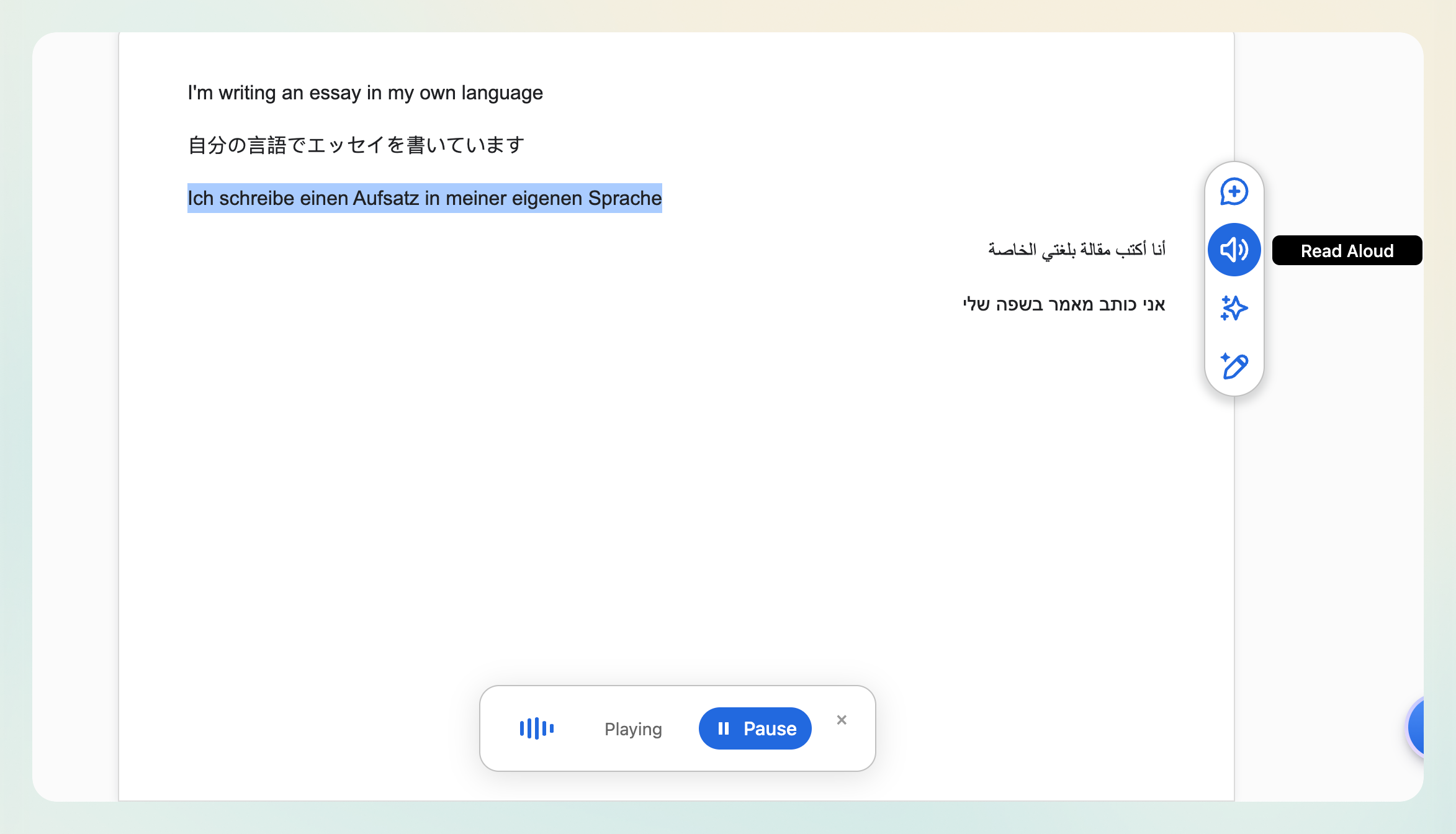
Text to Voice (Read Aloud)
- Select a section of the document.
- Click “Read Aloud” from the editor menu.
- Rumi will speak the selection in the document’s selected language.
Voice to Text (Dictation)
Students can now use the Voice to Text feature to transcribe their spoken words into written text.
How to Access
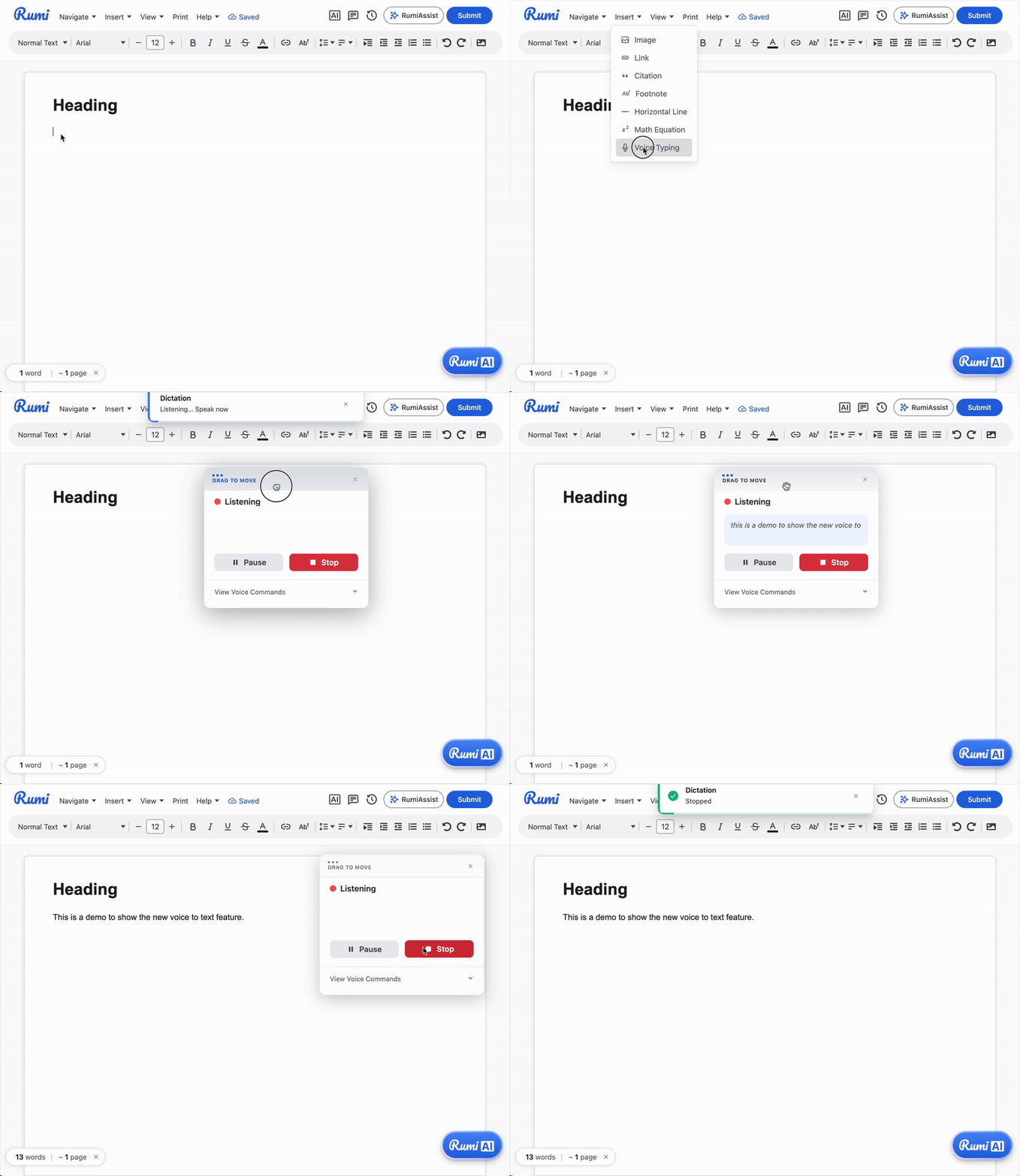
- Click on the Insert Menu.
- Select Voice Typing from the menu. (or access this via the ctrl+shift+v shortcut)
- Allow microphone access if prompted.
- Speak naturally to dictate your content.
- Use the Action Commands below for punctuation, line breaks, formatting, and edits.
- Say “pause dictation” to pause or “stop dictation” to finish.
Action Commands (for Voice to Text)
Language & Browser Support
- Text to Voice (Read Aloud)
- Speaks in the document’s selected language; works across RTL (Right to Left) and LTR (Left to Right) languages.
- Browser support: Available in all browsers.
- Voice to Text (Dictation)
- Language: English only (for now).
- Browser support: Works on Google Chrome, Safari, and Microsoft Edge. (not Firefox)
Tips & Troubleshooting
- Auto Close for Dictation: If the dictation function isn't used for 45 seconds, the dictation will stop.
- Grant microphone access: If dictation doesn’t start, check browser permissions for the site.
- Speak commands clearly: Say commands as separate words (e.g., “question mark”) to insert punctuation.
- Reduce background noise: Use a headset or move closer to the mic for better accuracy.
- Keep selections concise for Read‑Aloud: For long passages, read section by section for easier navigation.
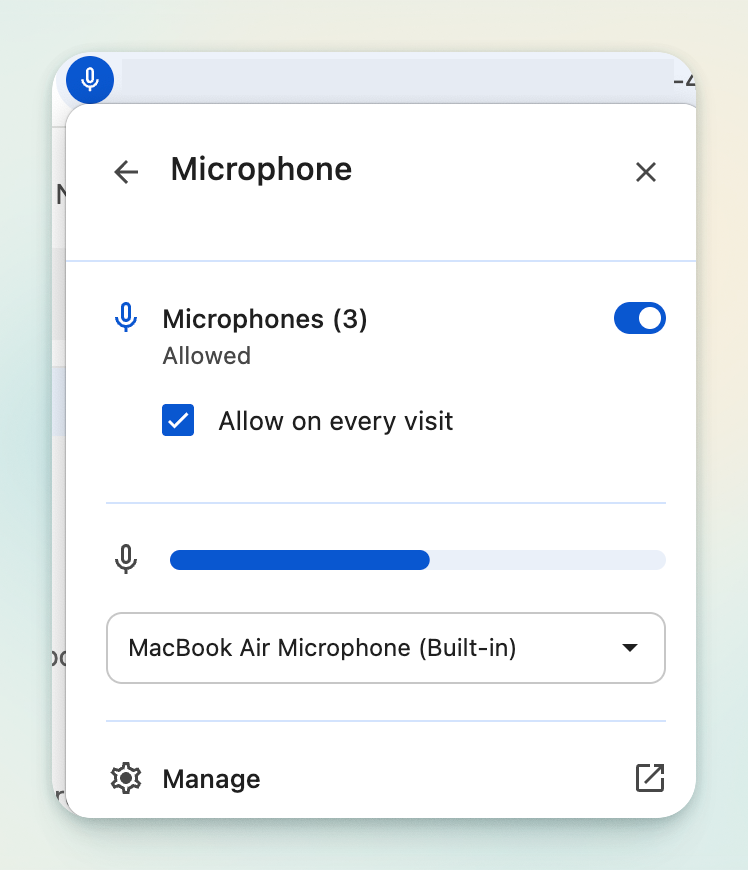
- Audio Input: Make sure your audio input settings are correctly selected (see image below for example)