Transparent AI Use
Intro
For assignments where AI is allowed, Rumi gives both instructors and students clear visibility into how AI was used during the writing process. With Rumi, you can view a student’s AI chat history as well as see exactly which parts of a document were edited by AI. This transparency helps ensure that AI is supporting—not replacing—student learning.
Why is This Important
In many assignments, instructors want to encourage the responsible use of AI. By providing visibility into how students used AI, Rumi enables instructors to confirm that students are leveraging AI as a tool for supplementing their own thinking and writing, rather than depending on it entirely. This promotes accountability, ethical learning, and academic integrity.
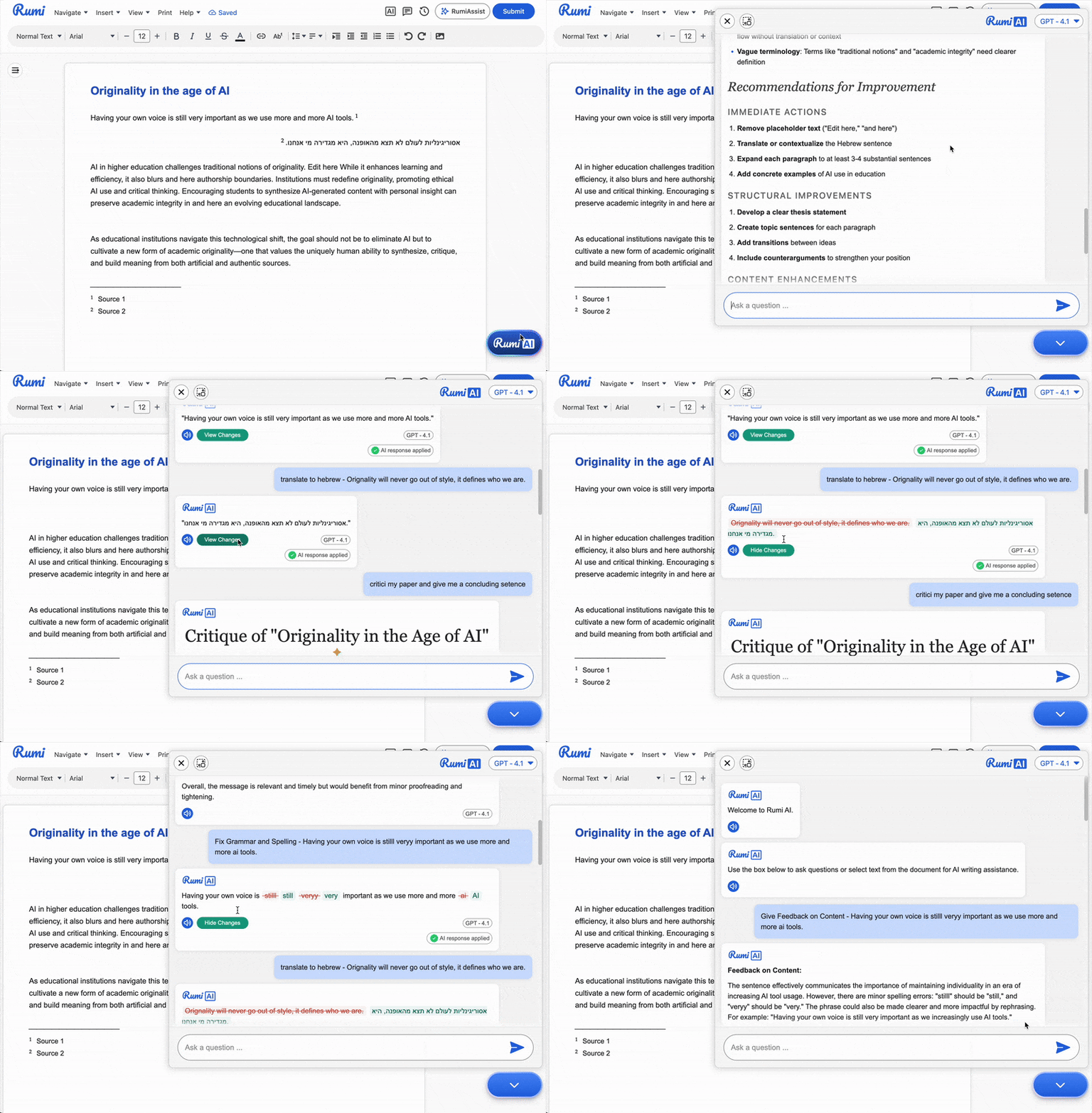
Viewing Chat History
Students and instructors can access the AI Chat History for any document by clicking on the Rumi AI button. Within the chat view, if an AI response resulted in changes to the document, users can click “View Changes” to see a detailed comparison—highlighting additions and removals made by AI.
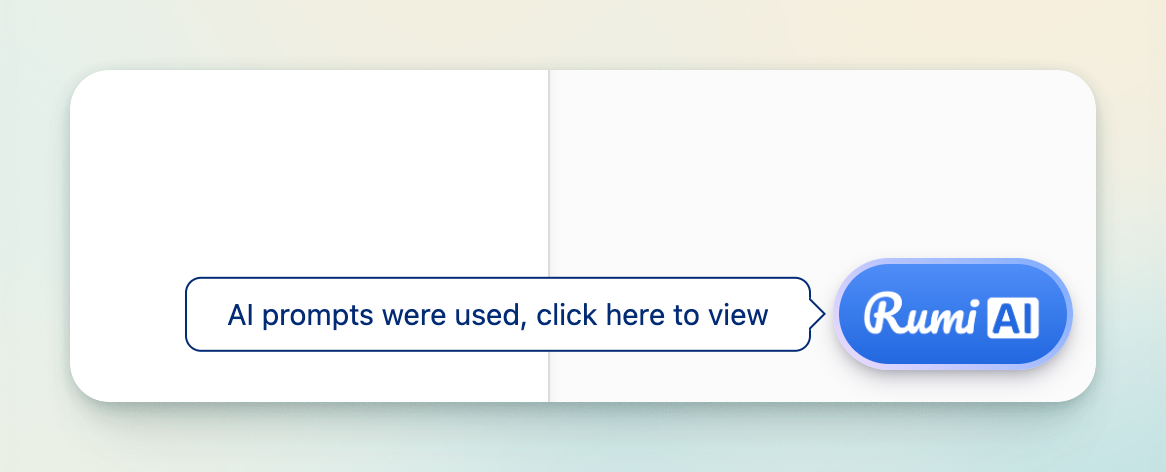
For instructors, if AI was used in a student’s document, a tooltip notification will automatically appear when they open the file, signaling that AI activity is available for review.
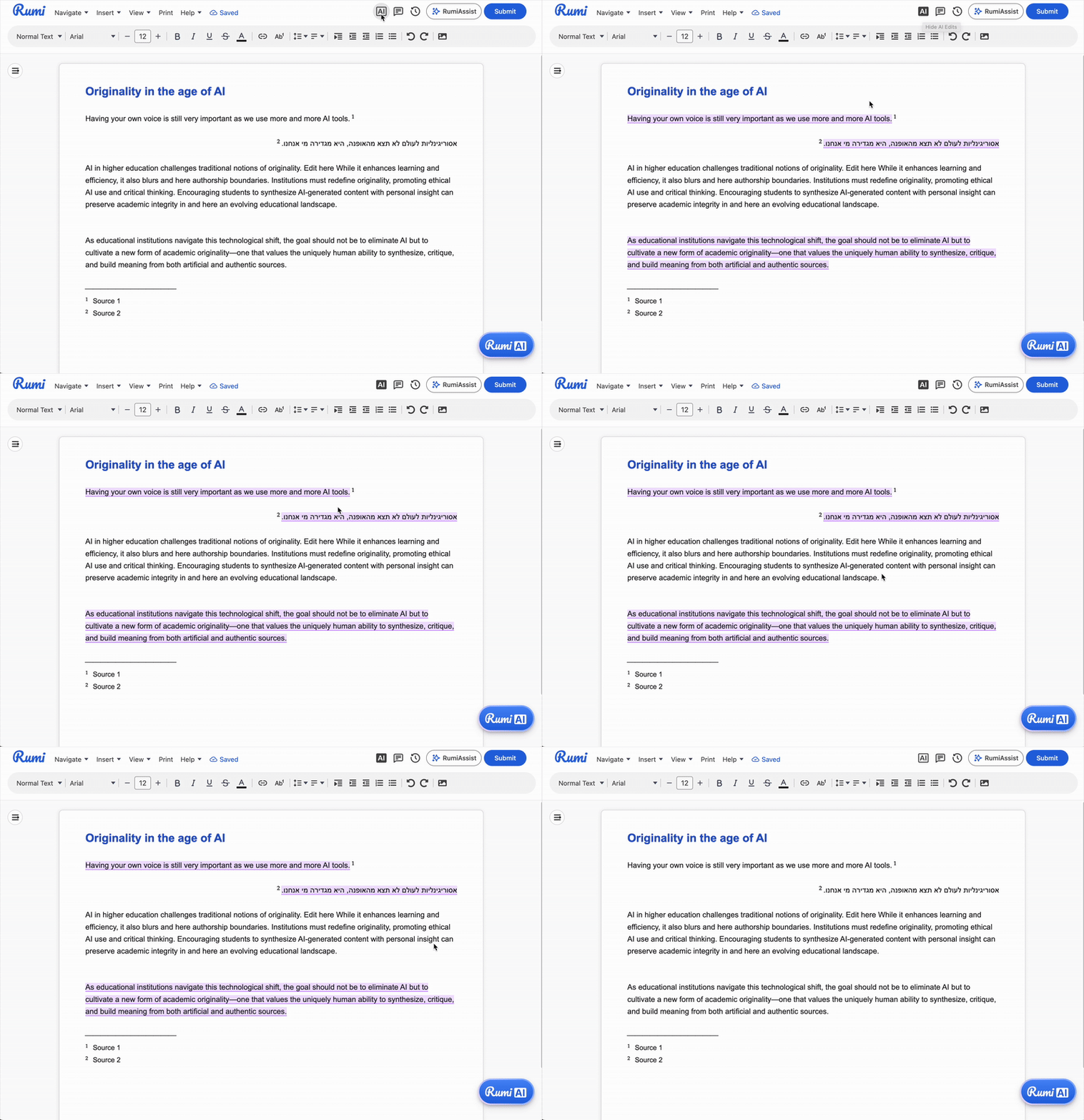
View AI Edits
Both students and instructors can see exactly where AI edits occurred within a document. By hovering over any AI-edited section, users can view the specific AI prompt that triggered the change. This feature makes the AI’s role fully transparent, showing not just what was changed, but also why it was changed.