Continuation Assignments
Intro
Continuation Assignments allow student work—both document content and comments—to be carried over from one assignment to another. This makes it easier for students to build on previous work while giving instructors a seamless way to track progress across multiple stages of an assignment.
Important: We recommend keeping any continuation assignment hidden/unpublished until the original (or previous) assignment is fully completed. A continuation assignment performs a one-time import from the original when a student first opens it: any comments or text added to the original after that point will not carry over. All content present at first open will transfer, but later changes to the original cannot be re-imported, as they may conflict with edits made in the continuation version.
Why Use Continuation Assignments
Continuation Assignments are especially useful for breaking down large projects into smaller, more manageable parts. Instead of requiring students to start from scratch each time, Rumi automatically imports text and comments from prior assignments into the new document. Importantly, this imported text is not counted toward Rumi’s originality index or flagged as copy-pasted content, so students aren’t penalized for building on their earlier drafts.
This approach allows instructors to:
- Focus on process and progression, not just final output.
- Provide detailed, stage-by-stage feedback.
- Encourage iterative learning by making each draft a meaningful step in the writing journey.
Example Usage
An instructor may want to divide a semester-long writing project into four assignments: a rough outline, Draft #1, Draft #2, and a Final Draft. With Continuation Assignments enabled, each stage automatically carries forward the text and comments from the previous stage. This way, students can revise and improve their work without retyping or manually copying, while instructors can grade each draft separately and track growth over time.
Assignment Chain
Continuation assignments intelligently handle assignment chains. All text, comments, and markups from the prior assignment are carried over to a new document.New: If a student has skipped assignments in a chain of continuation assignments, their document will automatically pull content from the most recent non-empty document in the chain.
Student Experience
When a Continuation Assignment is set up, students opening the new assignment will immediately see a document that already includes text and comments from their prior essay. They can then make edits, add new sections, or respond to feedback. These changes only affect the current assignment—the original essay remains unchanged, ensuring each draft is preserved in its original form.
Snapshot Import
All text, comments, and markups will be carried over to the new document created for a Continuation Assignment. This transfer occurs only on the initial load; after that, the two documents will be out of sync, and changes made in one will not be reflected in the other.
How to Setup Continuation Assignments
To enable this feature, instructors should:
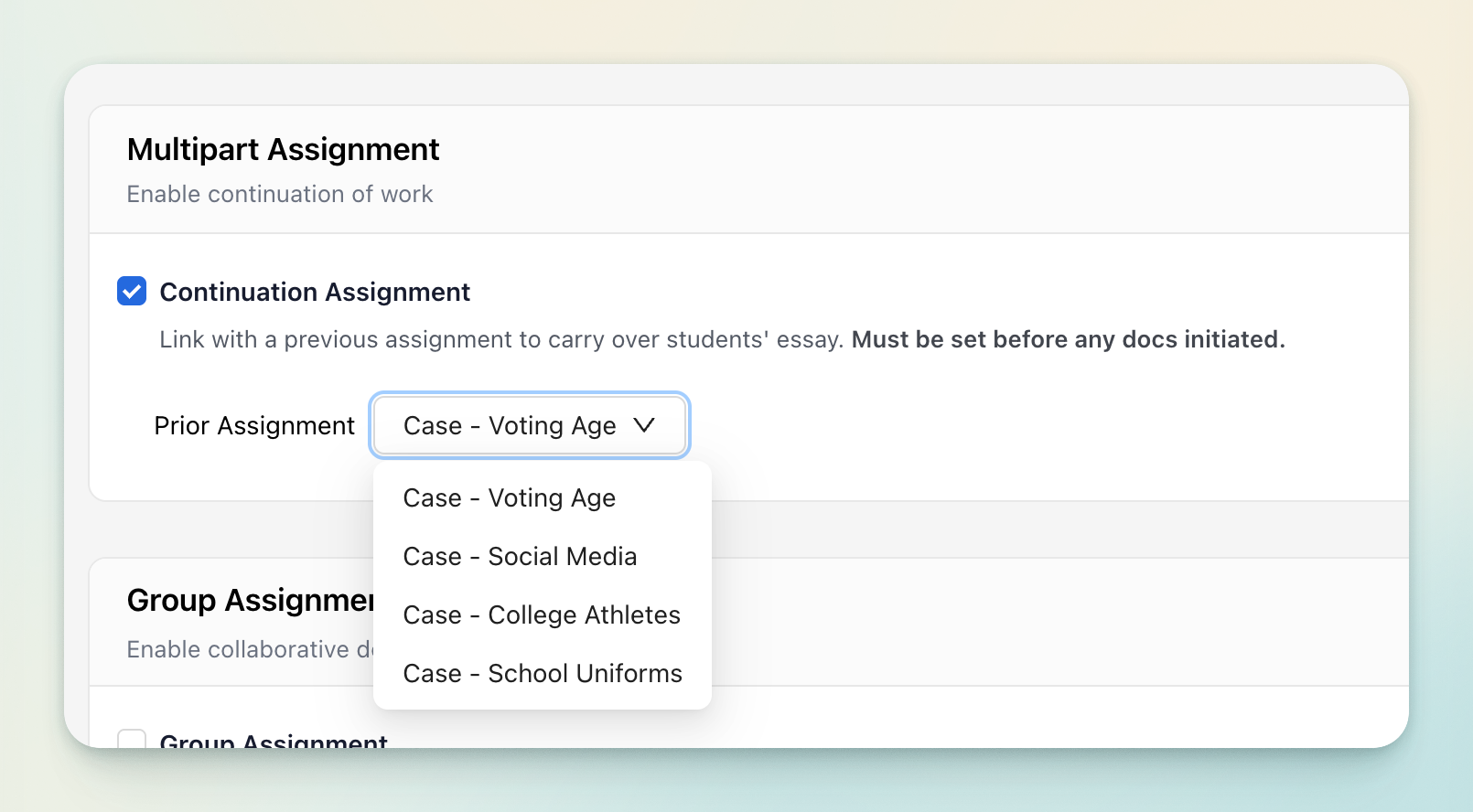
- Go to the Rumi Dashboard.
- Click on “Continuation Assignments.”
- Select the prior assignment that will be used for importing content and comments.
⚠️ Important: This setting must be enabled before any documents are generated for the assignment. Once even a single document is initiated, the continuation setting is locked and cannot be changed.