Annotation Tools
Introduction
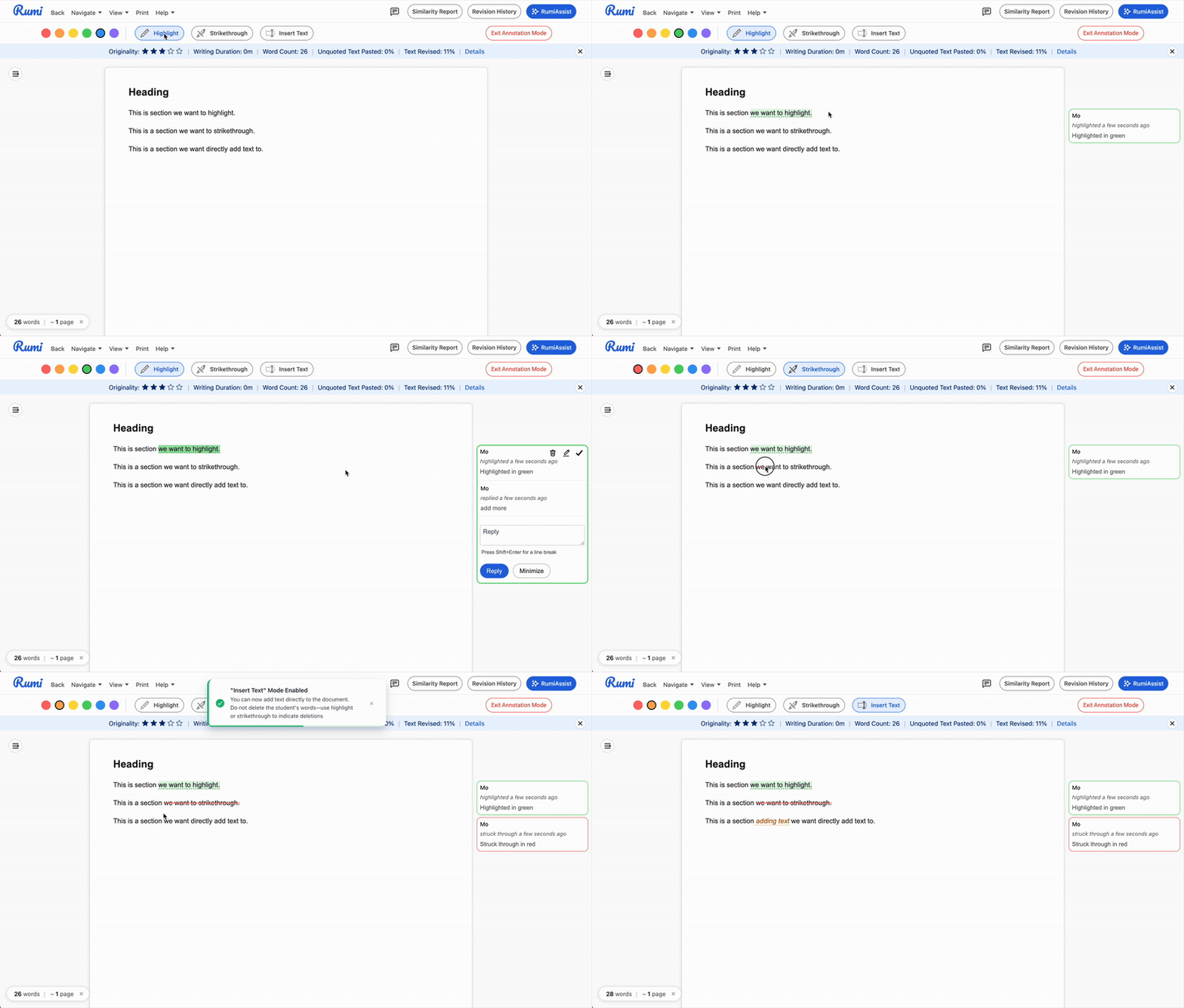
Instructors and peer reviewers can use enhanced annotation features to provide clearer feedback. Highlight text in different colors or strike through sections to suggest edits and emphasize key points.
Annotation Types
- Highlight Text
- Strike Through Text
- Directly Insert Text
Who Has Access
Instructors have access to all annotation tools, while peer reviewers only have access to Highlight and Strike Through tools. Peer reviewers cannot directly insert text into the document.
Features
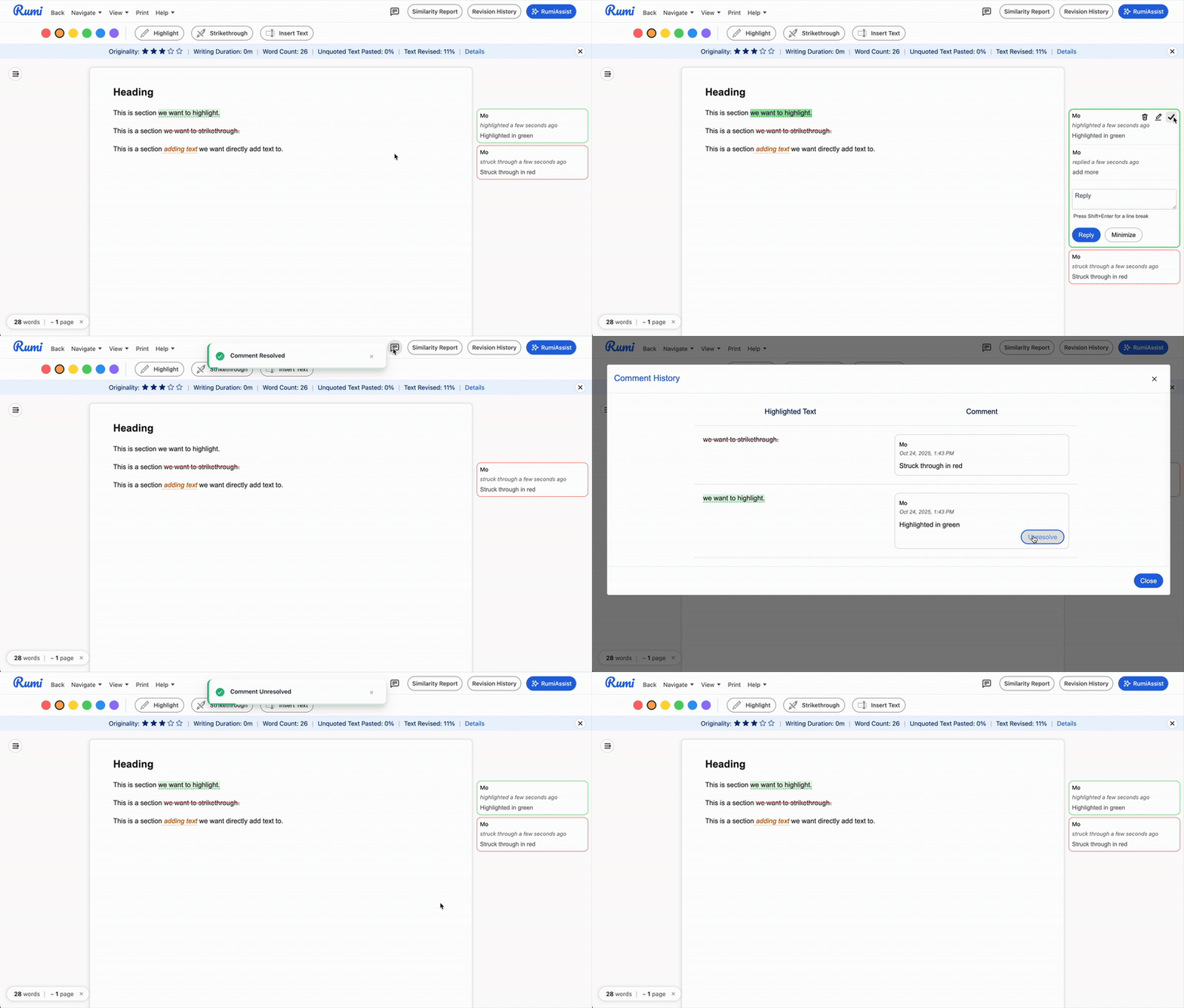
For Highlight and Strike Through annotations, you can delete and edit your annotations. Other users who have access to your document can reply to and resolve your comments in real-time.
Key Considerations
Comment Release Approval
The "Manual Approval" release setting will apply to Highlights and Strike Through annotations. Students will only see these annotations if the instructor has released the comments. Any text directly inserted into the document will be shown to students regardless of the Manual Approval setting for comments.

Author Tracking
In "Insert Text" mode, instructors can only edit text they've added—they cannot delete or modify student work. If they attempt to delete or edit student writing, they will see an app notification and their changes will not be saved.

Revision History
Annotations and directly inserted text will appear in the Revision History and be visible to both students and instructors.

Continuation Assignments
For Continuation Assignments, instructor comments and annotations will carry over to new continuations.