Rumi allows instructors to create and assign pre-formatted document templates to their assignments. By pre-setting a template, you ensure that every student starts their assignment with the exact structure, headers, and formatting you require—reducing confusion and standardizing submissions for easier grading.
Note: Templates automatically populate in the student's editor the moment they start the assignment. Students can then type directly into the provided structure.
What You Can Do
Design custom layouts: Use the Rumi editor to build templates with specific headings, bullet points, and spacing.
Standardize assessments: Perfect for short-answer worksheets, lab reports, and essay outlines.
Save time for students: Eliminates the need for students to format their own documents from scratch.
Use Cases and Ready-Made Templates
Click any template to preview it, then copy the text to paste directly into the Rumi template editor.
Multiple Choice with Reasoning
Pre-load questions and answer options so students focus on answering — not formatting. Add a reasoning prompt after each question to push beyond guessing.
Template Preview
Question 1
Which of the following best describes photosynthesis?
A) The process by which cells break down glucose for energy
B) The process by which plants convert sunlight into glucose
C) The process by which organisms absorb nutrients from soil
D) The process by which fungi decompose organic matter
Your answer: ___
Explain your reasoning (1–2 sentences):
[Write your explanation here.]
---
Question 2[Add your next question here.]
A)
B)
C)
D)
Your answer: ___
Explain your reasoning (1–2 sentences):
[Write your explanation here.]
Scaffolded Essay
Guide students through an argumentative or analytical essay with labeled sections and inline instructions. Reduces blank-page anxiety and keeps structure consistent.
Template Preview
Introduction[Write a hook, provide background context, and state your thesis here.]Body Paragraph 1 — First Supporting Argument
Claim: [State your argument.]
Evidence: [Quote or paraphrase a source.]
Analysis: [Explain how the evidence supports your claim.]Body Paragraph 2 — Second Supporting Argument
Claim: [State your argument.]
Evidence: [Quote or paraphrase a source.]
Analysis: [Explain how the evidence supports your claim.]Counterargument & Rebuttal[Acknowledge an opposing perspective, then explain why your argument still holds.]Conclusion[Restate your thesis in new words and summarize the key points of your argument.]
Lab Report
Standardize science write-ups with clearly labeled sections. Students fill in each part as they work through the experiment.
Template Preview
Lab Title:
Date:
Partner(s):
Hypothesis[State your prediction in "If…then…because…" format.]Materials
-
-
-
Procedure
1.
2.
3.
Observations & Data[Record your measurements and observations here.]Analysis[Explain what your data shows. Reference specific values.]Conclusion[Did your results support your hypothesis? What sources of error existed?]
Short Answer / Reading Response
Pre-load guiding questions for a reading assignment so students can focus on writing their response, not copying prompts.
Template Preview
Text: [Title of Reading]1. What is the author's central argument? (2–3 sentences)
[Write your response here.]2. Identify one piece of evidence the author uses. Do you find it convincing? Why or why not?[Write your response here.]3. How does this text connect to what we discussed in class this week?[Write your response here.]4. What question does this reading leave you with?[Write your response here.]
Weekly Reflection / Journal
A recurring template for personal writing, SEL check-ins, or metacognitive prompts. Reuse the same structure weekly so students can track their own growth over time.
Template Preview
Week of: ___________
What was one thing you learned this week that surprised you?[Write your response here.]What is still confusing or unclear? What questions do you have?[Write your response here.]What's one thing you want to try differently next week?[Write your response here.]
Vocabulary / Word Bank Activity
Pre-load a list of terms students must incorporate into their writing. Works for science, humanities, ELL, and any subject with key terminology.
Template Preview
Word Bank — use at least 5 of the following terms and underline each one when you use it:
mitosis, meiosis, chromosome, cell division, diploid, haploid, gamete, zygote
---
Prompt
Explain the difference between mitosis and meiosis. Use at least 5 terms from the Word Bank above and underline each one.
Your Response[Write your response here.]
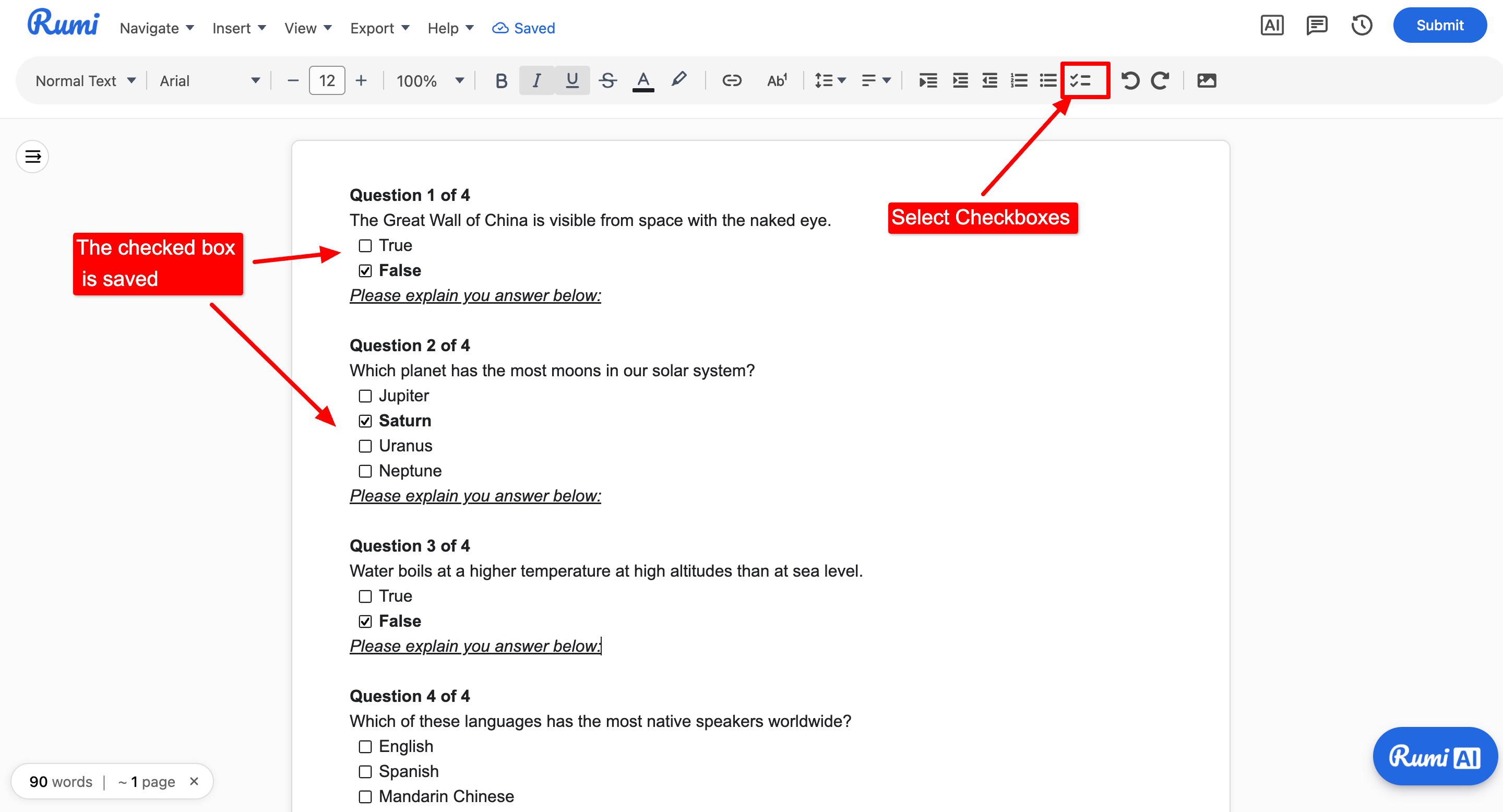
Quiz Tip: For quizzes with explanations, we recommend using the checkboxes feature in Rumi.
Using Checkboxes
Instructor Experience
Instructors can build templates natively in the Rumi editor and apply them directly in the assignment settings.
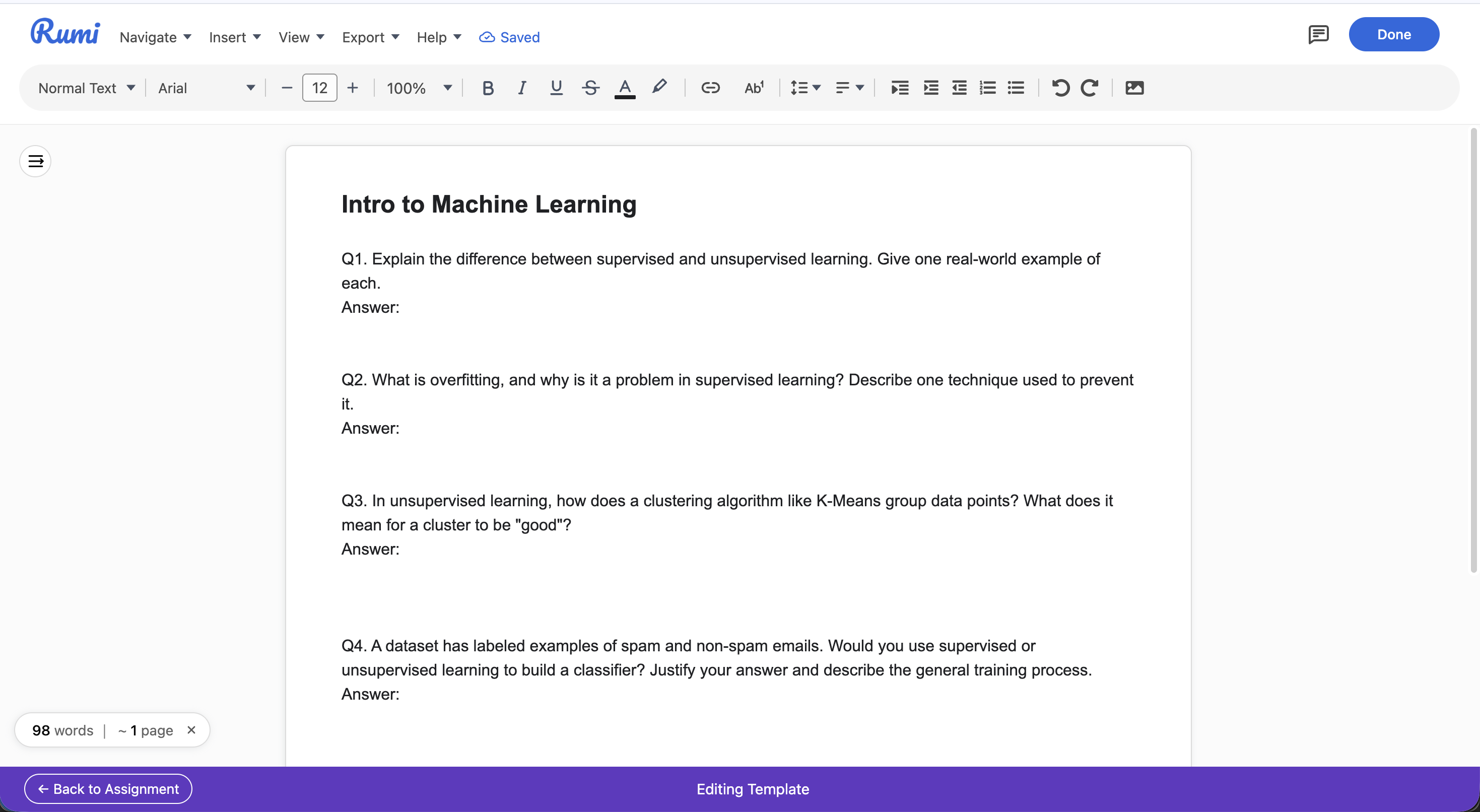
Step 1: Editing a Template
Navigate to your Assignments settings and click on create a new template.
Use the standard Rumi editor to type out your structure, questions, and instructions.
Any text pasted by an instructor in a template will NOT be marked as pasted text
Format the text (bolding, lists, indentations) exactly as you want the students to see it.
Instructor Experience - Editing a template
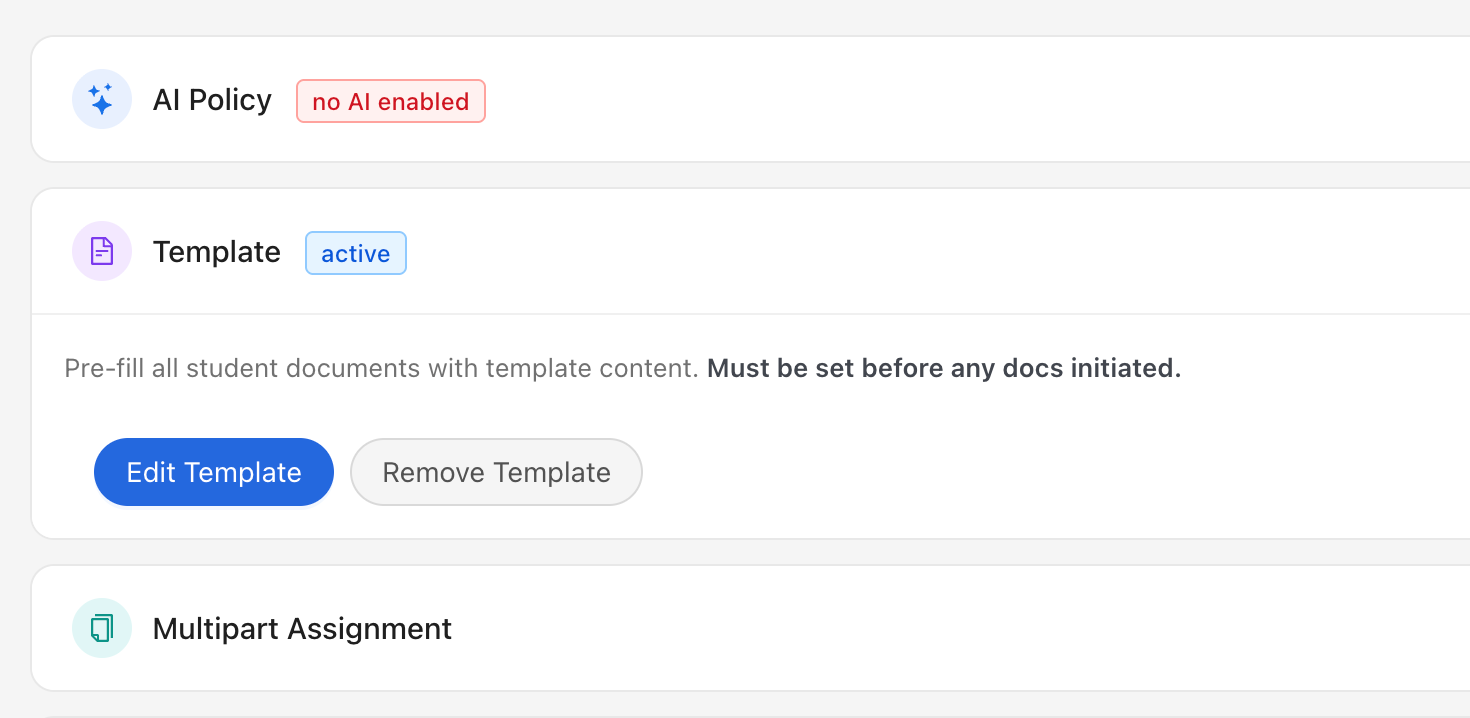
Step 2: Setting a Template for a Class
When creating or editing an assignment, locate the Template settings.
Select the desired template from your saved list.
Once saved, this template will automatically load for every student who opens the assignment.
Instructor Experience - Setting a template for a class
Restrictions
Modifying active templates: Once students start working on an assignment, the instructor can still edit the attached template, but it cannot be deleted.
Continuation Assignments: If an assignment uses both a template and a continuation assignment, the continuation settings will always override the template settings.
Student Experience
When a student opens an assignment that has an attached template, they do not need to take any extra steps to load it. The Rumi editor will launch with the instructor's pre-formatted text already on the page, ready to be filled out.